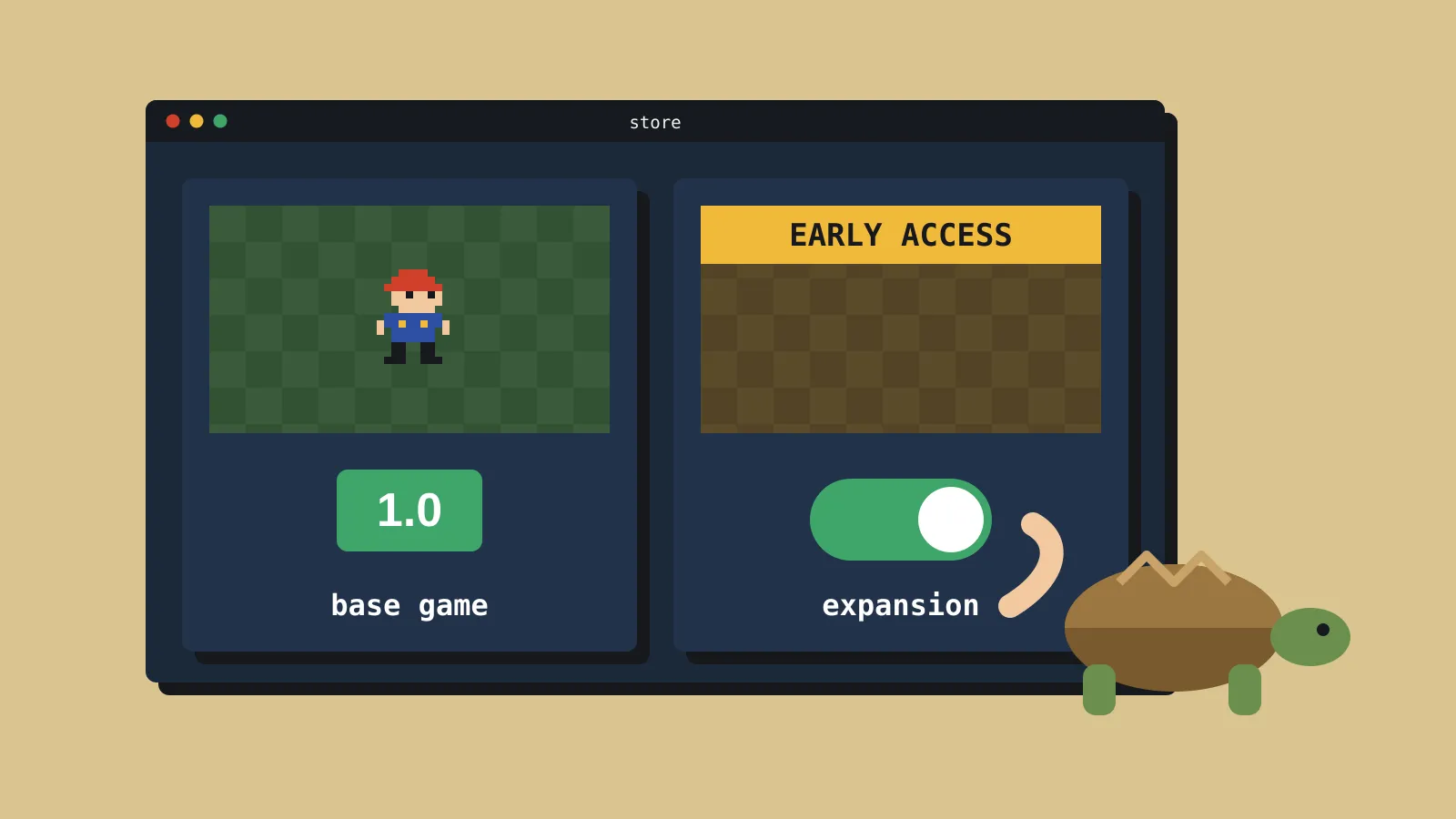
Steam achievements now come in sets. Tidy yours before your DLC
Valve's new Achievement Sets stop DLC and dead multiplayer modes breaking your players' 100%. No code changes needed, and the tidy-up is quick.
Steam now lets you sort your game’s achievements into sets, and hide retired ones from players who never earned them. Valve announced the update on 15 October, along with a rebuilt achievements editor and bulk tools. Both the developer and player sides are in beta. You set it up in Steamworks, and you don’t need to change your game’s code. If you’re planning DLC, a new mode or a seasonal event, it’s a short job that protects your players’ 100% completions.
What changed for developers
According to Valve’s announcement, as reposted by GameDev.net, there are four main changes.
- Achievement Sets. You can group achievements by DLC, character, mode or season. Developer-only sets stay hidden from players while you test, and DLC sets stay hidden until the DLC launches.
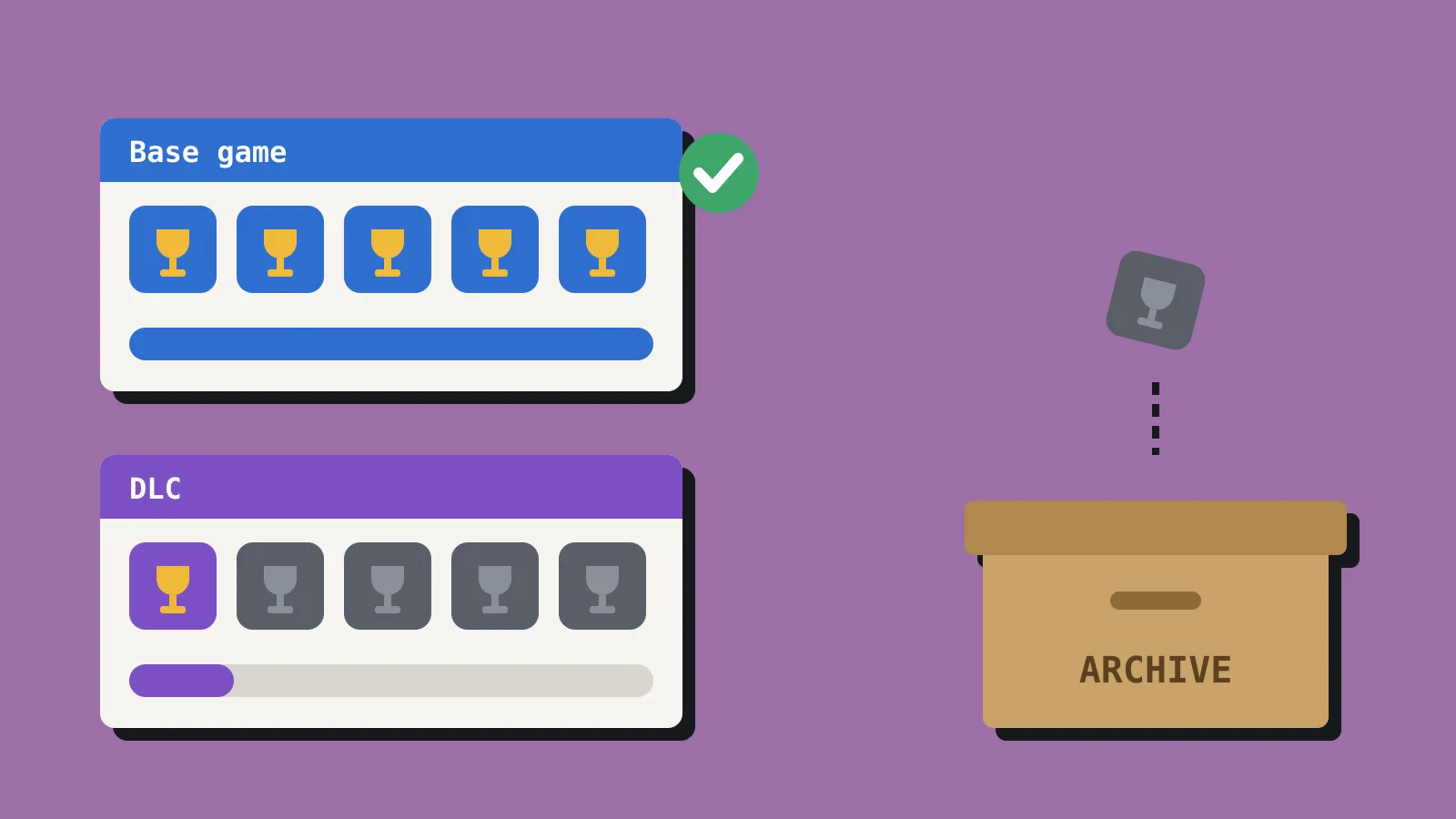
- Archiving. You can archive one achievement, or a whole set tied to retired content. Players who earned it keep it. Players who didn’t no longer see it, and it stops blocking their set or game completion.
- A rebuilt editor. You can bulk import and export achievement definitions, icons, localisation and set assignments, and move achievements between sets in bulk. Steam can generate the greyed-out locked icons for you, and the editor flags missing translations before you ship.
- No code changes. Existing achievement API names and unlock calls keep working. Valve says you don’t need to update your game or the Steamworks SDK to use sets.
That last point matters most for a small team. This is a Steamworks settings job, not a patch. Windows Central reports that the founder of Arcen Games posted on Reddit that sorting 100 achievements into a DLC set took under 10 minutes.
One thing hasn’t changed. Steam’s achievements documentation still limits new games to 100 achievements by default, with more allowed once your game qualifies for Steam’s profile features. The documentation doesn’t mention sets yet.
What players will see
The player side is in the Steam Client Beta, which went out on 15 October. Valve says it will keep changing the feature based on feedback. Based on gaming.net and tbreak, this is what changes:
- A rebuilt achievements page shows overall progress and progress in each set, with filters for sets and for locked or unlocked achievements. Global Stats now sit behind a toggle on the same page.
- Finishing a set earns a “set complete” trophy on the player’s profile. Base game sets show in blue, and DLC sets in purple.
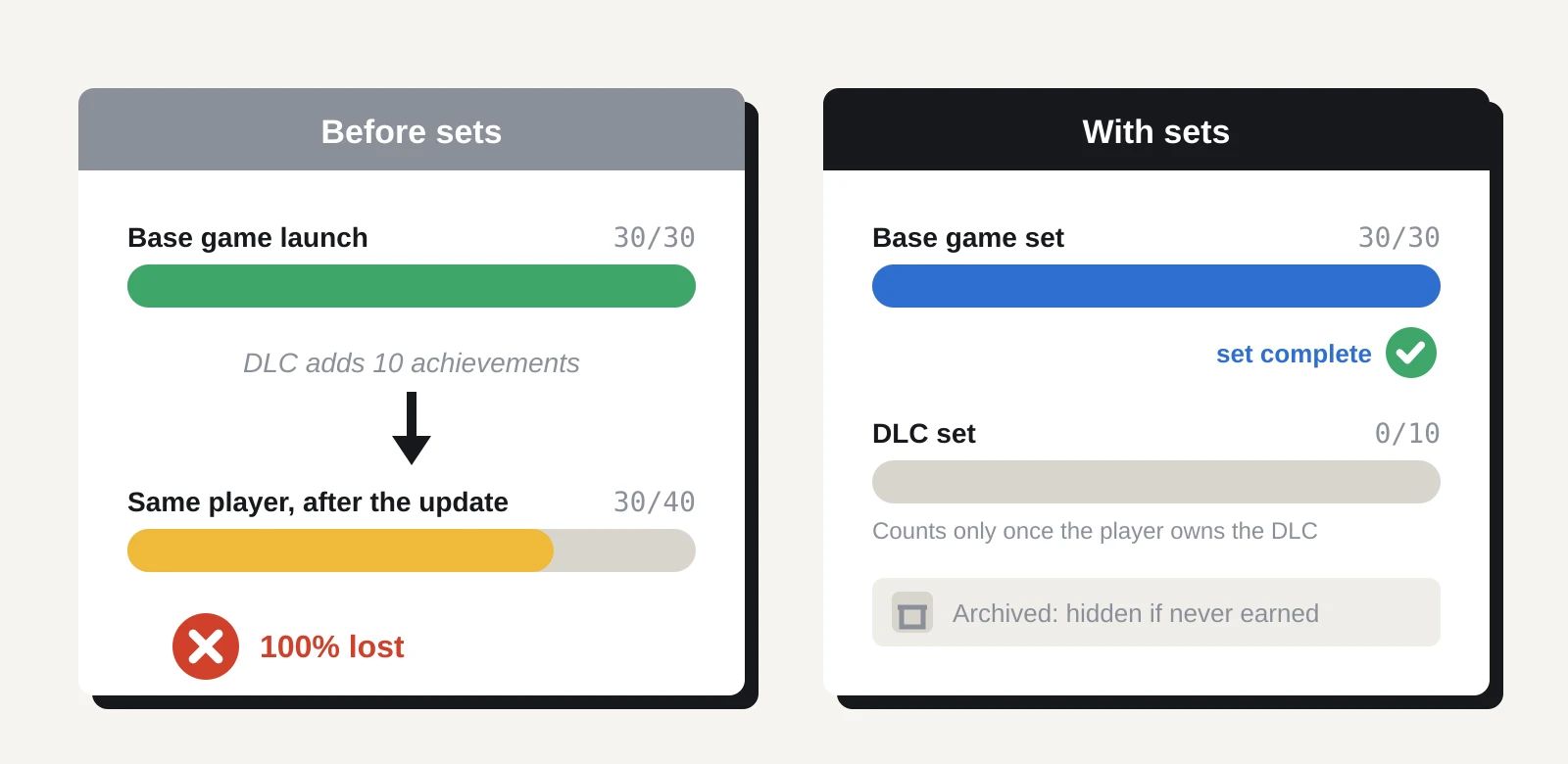
- DLC achievements only count towards a player’s overall progress once they own that DLC.
- A completed set stays completed, even if you add achievements to it later.
- The Perfect Games tab becomes Completed, and it lists games with completed sets too.
- Players can compare progress with up to three friends, and store and library pages show whether a game supports sets.
Not everyone is happy. Windows Central notes that the overall average completion percentage no longer appears on player profiles, a number many completionists have tracked for years. Counting completed sets can also inflate a player’s stats. Team Fortress 2 now has 16 sets covering 520 achievements.
Why a solo dev should care
Achievement hunters are a small group, but a vocal one, and some of them write reviews. Until now, adding DLC achievements to a game broke every existing 100% completion. A multiplayer achievement in a game whose servers went quiet could never be earned again. Players often blamed the developer for both, even though Steam offered no other option.
Sets fix the first problem. Put new DLC achievements in their own set, and players who finished the base game keep their completion. Archiving fixes the second. If an achievement depends on a dead online mode, a removed event or a bug you can’t fix, archive it, and new players can still reach 100%.
The first wave of 17 games mixes Valve’s own titles, such as Portal 2 and Team Fortress 2, with indie and mid-sized studios. Against the Storm, DREDGE and two PowerWash Simulator games are on tbreak’s list. Games with regular content updates suit this feature best.
A short tidy-up
If your game is already on Steam, this is what we’d do before your next update.
- Export your current achievements. Use the new bulk export to get a copy of your definitions, icons and translations. It’s a free backup, and it makes the rest faster.
- Fix the gaps the editor flags. Missing translations and locked icons are now easy to spot. Let Steam generate the greyed-out icons if you never made them.
- Make a base game set. Keep it to what a player can earn from the game they bought.
- Split by DLC or mode. Give each DLC its own set. If your game has a multiplayer or co-op mode with a small player base, give that a set too, so solo players aren’t blocked.
- Archive what can’t be earned. Look for achievements tied to removed events, broken triggers or servers that no longer run, and archive them.
- Test in a developer-only set. Build the next update’s achievements in a hidden set, check they unlock on a test branch, then make the set public on launch day.
- Mention it in your patch notes. Completionists will look for it, and “your 100% is safe” is good news to share.
If your game isn’t out yet, plan your sets now. Decide which achievements belong to the base game and which belong to later content, before players start earning them.
What we don’t know yet
Three things weren’t clear from anything we could read. Valve hasn’t said whether there’s a limit on how many sets a game can have. It hasn’t said when the player side will move from the client beta to the standard Steam client. And we couldn’t confirm whether archiving an achievement changes the global unlock percentages shown in Steam’s stats.
Should you care?
| You are | Our verdict |
|---|---|
| Shipping DLC or a big update soon | Yes. Put the new achievements in their own set before launch, so existing 100% players keep their status. |
| Running a game with a quiet multiplayer mode | Yes. Move online achievements into a separate set, or archive the ones nobody can earn. |
| A finished game with no more updates planned | Low priority. Archive anything broken, then leave it. |
| Still in development | Plan your sets now. It costs nothing and avoids a reshuffle later. |
Sources
- Updated Achievement System (Steamworks Development)
- Updated Achievement System (GameDev.net repost)
- Valve adds Steam achievement sets in new client beta update (gaming.net)
- Steam Achievement Sets enter beta with 17 games (tbreak)
- Valve is finally fixing the most infuriating thing about Steam achievements (Windows Central)
- Achievements (Steamworks documentation)