Terrain3D 1.1 adds oceans and better mobile terrain to Godot
The free Godot terrain add-on now ships an ocean mesh, C# bindings and mobile tweaks, plus API renames you need to check before you upgrade.
Terrain3D 1.1.0 is out. The free, MIT-licensed terrain system for Godot went stable at the end of October, and the Godot Asset Store lists the update on 30 October 2026. It follows a release candidate from 17 October and adds an ocean mesh, C# bindings, tessellation and better mobile support. The developers say there are more than 370 smaller changes on top of the headline features.
Godot still has no built-in terrain node. If you want hills, valleys and painted ground in a 3D Godot game, you either build your own or use an add-on. Terrain3D has become the default choice for a lot of people, so a big point release matters.
What Terrain3D is
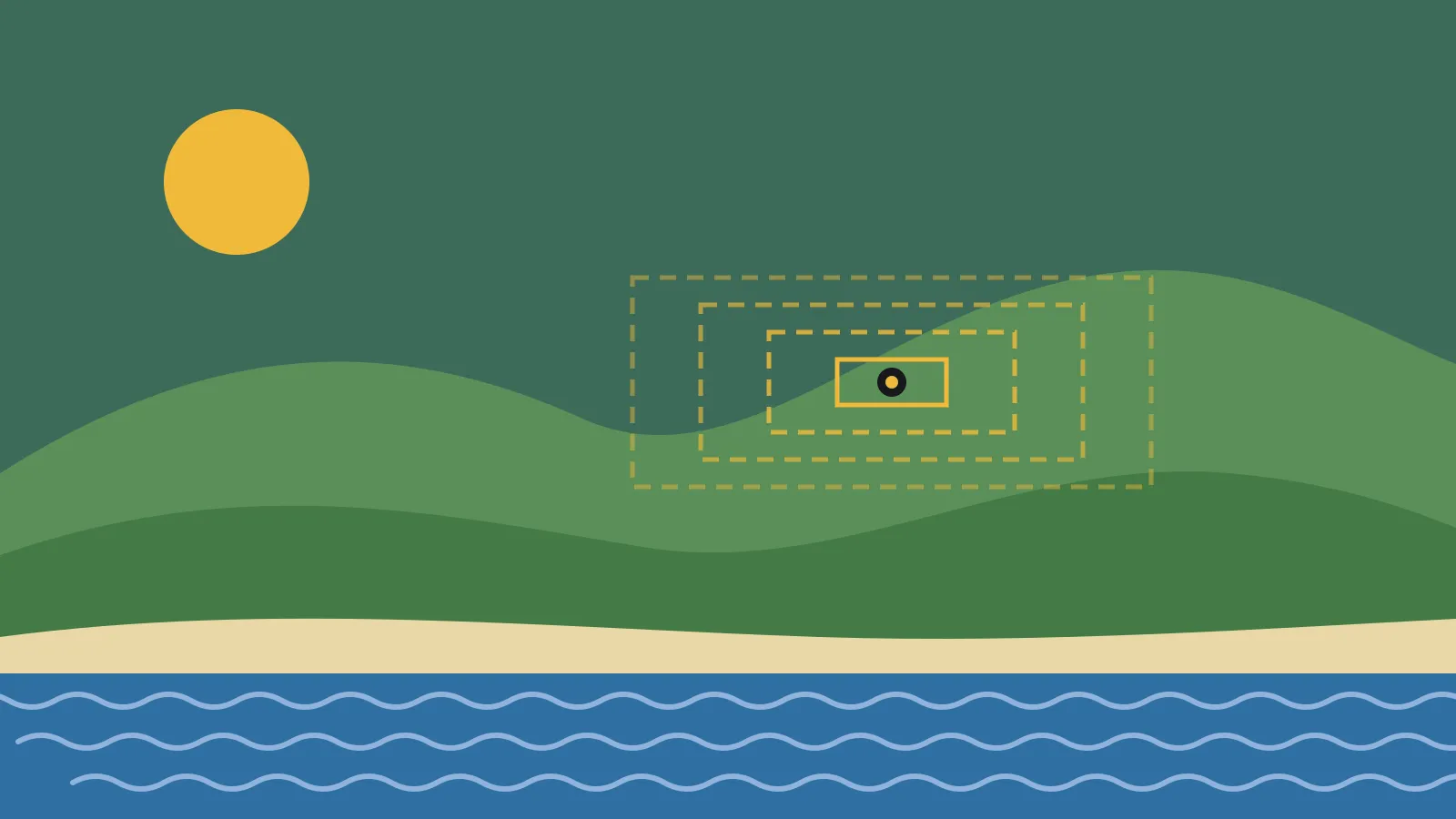
Terrain3D is a GDExtension, which means it’s written in C++ and plugs into Godot as a native add-on. You don’t need to recompile the engine. It uses clipmaps, a technique that keeps detail high near the camera and drops it with distance, across up to 10 levels of detail. You can paint with up to 32 textures, scatter foliage with its instancer and import heightmaps from other tools.
It’s free to download from the Godot Asset Store and GitHub, under the MIT licence. That licence lets you ship it in a commercial game without paying anyone. Keep the copyright notice with your build.
Version 1.1 supports Godot 4.5 to 4.8, according to the release candidate notes. The Asset Store page is less clear, with different minimum versions in different places. Treat 4.5 as the floor.
What’s new in 1.1
The changes fall into four groups.
Water. There’s now an ocean mesh with a default shader and an example ocean shader. If your game has a coastline, you get a starting point for water without writing it from scratch. It’s a base to build on. Don’t expect a finished water system with foam and waves out of the box.
Surface detail. Textures can now drive vertex displacement, and the mesh supports tessellation. Together they add real bumps to rocky or muddy ground rather than faking it with normal maps. There’s also support for ambient occlusion textures with packed normals, and a compressed colour map option to save memory.
Editor tools. A contour lines shader (with hotkeys) and a slope colouriser help you read the shape of your land while you sculpt. Region blending, gizmos and shaders have all been improved. The asset dock now has a search box, a live info panel, multiselect, an instance counter and highlighting for the selected foliage mesh.
Platforms and code. Godot 4.8 is supported, and the project now generates C# bindings, so Godot .NET users can call the API without writing their own wrappers. Mobile support is better, including a setting that limits how many terrain regions the material renders. The instancer has also moved from scene nodes into Godot’s rendering server, which should cut overhead in scenes with lots of foliage.
The release notes still describe mobile and web support as experimental. That’s an improvement on 1.0, not a promise that your terrain will run well on a budget phone.
What it means for a solo dev
If you make 3D games in Godot and need terrain, this is a solid reason to stay with Terrain3D rather than buy or build something else. The ocean mesh and tessellation cover two jobs you’d otherwise solve with separate add-ons or your own shader work.
C# bindings are the quiet win. Godot’s C# users have often had to call GDExtension classes through untyped calls, which loses autocomplete and type checks. Generated bindings make the add-on feel like the rest of your C# code.
The mobile changes are worth a test if you target phones or handhelds. Limiting rendered regions is a simple lever: fewer regions drawn means less work for the GPU. Measure it on the weakest device you plan to support, not on your development machine.
The catch is the API. Version 1.1 renames or changes a number of functions, and some of those changes alter behaviour, not just names. If you’ve written code against Terrain3D, an upgrade will need some attention.
The API changes to check
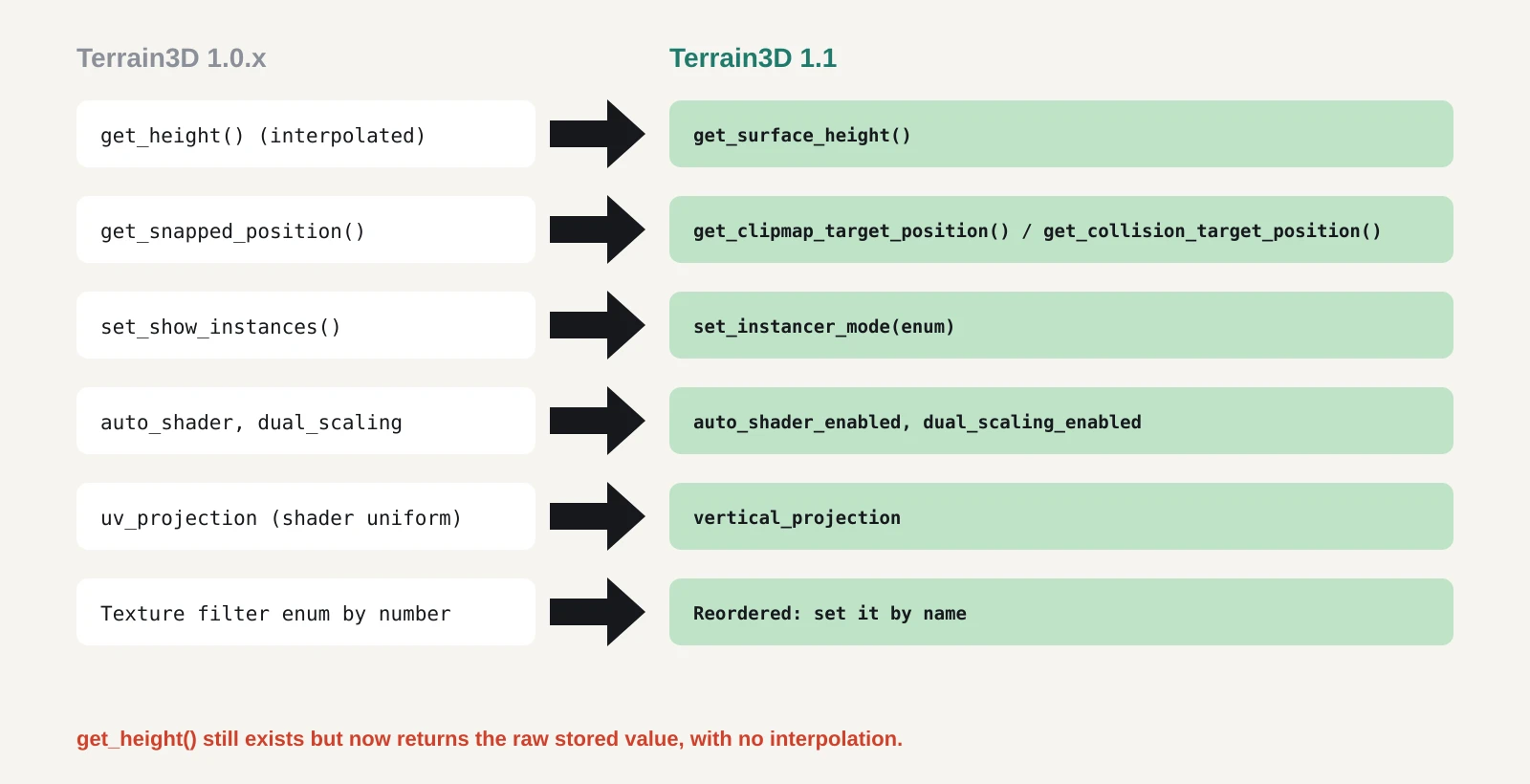
The project lists its 1.1 API changes in a GitHub discussion. The ones most likely to catch you out:
get_height()no longer interpolates. It now returns the raw stored value. If you used it to place objects on the ground, switch toget_surface_height(), which now does the interpolation and accounts for region blending.get_snapped_position()is gone. It’s split intoget_clipmap_target_position()andget_collision_target_position().set_show_instances()is replaced byset_instancer_mode(), which takes an enum.- Several material properties gain an
_enabledsuffix, such asauto_shader_enabledanddual_scaling_enabled. - The texture filtering enum has been reordered. If you set
NEARESTby number rather than by name, check it. - The shader uniform
uv_projectionis nowvertical_projection. Custom shaders that reference it will break.
The collision update() call and the instancer’s update_mmis() also take new parameters. Read the full list before you start.
What to do now
- Check your Godot version. You need 4.5 or later. If you’re on 4.4 or earlier, stay on Terrain3D 1.0.x until you upgrade Godot.
- Work on a branch. Commit everything, then upgrade on a separate branch so you can roll back.
- Back up your terrain data. Upgrading from 1.0.x to 1.1 involves a data conversion, according to the installation docs. Keep a copy of your region files before you open the project.
- Replace the add-on folder. Close Godot, delete
addons/terrain_3d, then copy in the new one. The docs warn against copying the new folder over the old, because removed files get left behind. - Search your code. Look for each old function and property name from the API list and update it. Pay special attention to anything that uses
get_height()for placement. - Test on your target hardware. Try the region limit setting on your lowest-spec device and compare frame times before and after.
If you’re starting a new 3D Godot project, start on 1.1 and skip the migration entirely.