Unreal Engine 5.9 Preview brings back web export, with a catch
Epic's 5.9 MegaJam Preview adds an experimental WebAssembly and WebGPU target, but for now it needs a source build and a C++ project.
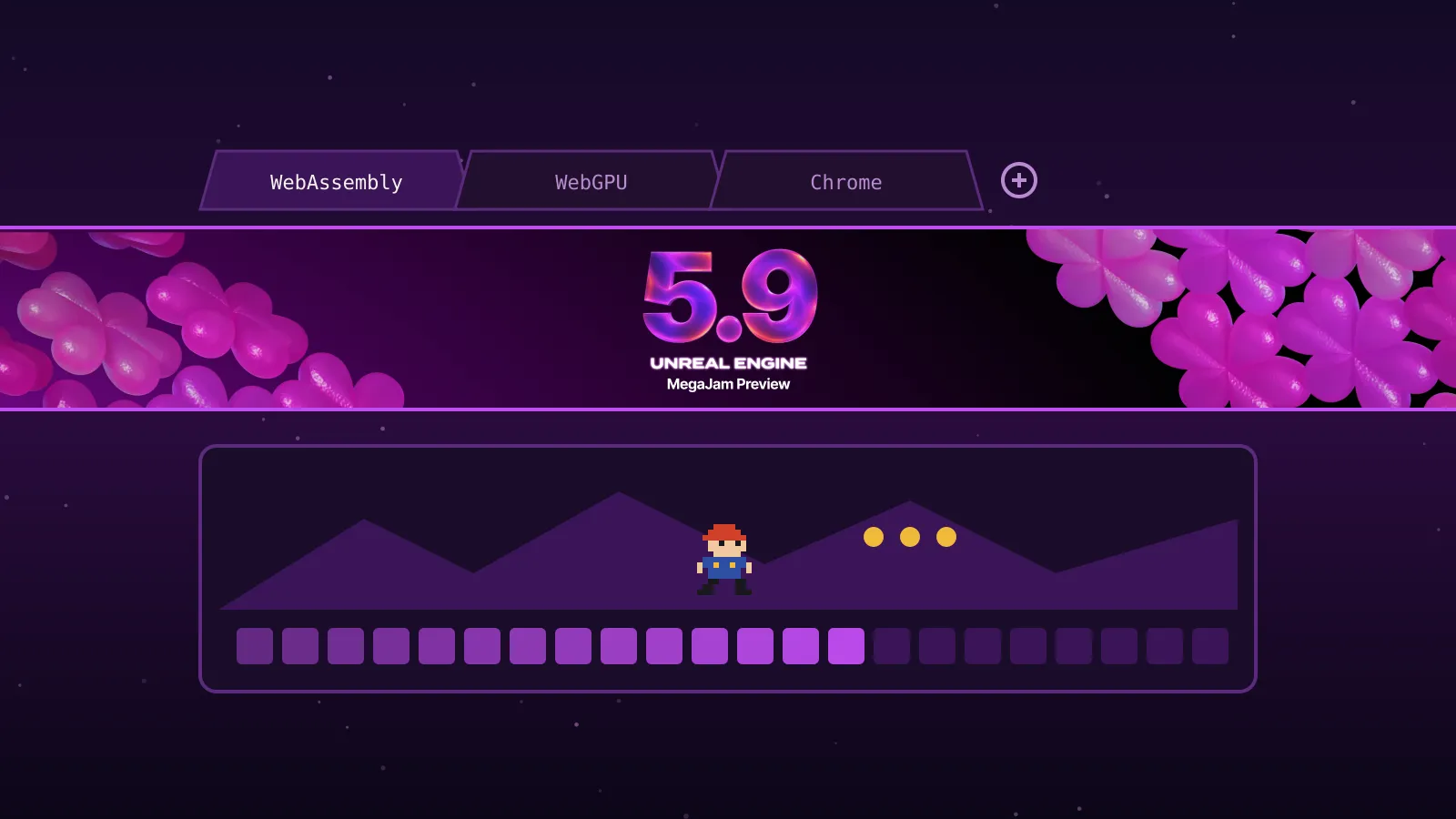
Epic posted Unreal Engine 5.9 Preview 1 on 9 November 2026, and it puts the browser back on Unreal’s list of targets. The new web platform is experimental. It runs on WebAssembly (Wasm, a compact format browsers can run at near-native speed) and WebGPU (the newer browser graphics API), according to Epic’s preview announcement. The catch for many solo devs: Preview 1 needs a source build of the engine and a C++ project.
What the web target is and how it got here
Unreal last had official browser export in the UE4 days. From version 4.24, Epic moved HTML5 support out of the engine into a public platform extension for the community to maintain, as this 2021 forum thread quoting Epic’s docs records. UE5 shipped without it.
The 5.9 target is new work. Epic says agents wrote the web platform code, starting from the retired UE4 HTML5 platform, with engineers directing and testing it. The preview took about a week to build and had a shorter QA pass than usual, Epic adds. Parts of the web renderer are prototypes Epic plans to refactor before the full release, which it expects next year.
Here’s what the announcement and 5.9 release notes confirm:
- The target runs on the mobile renderer, with Mobile Forward and Mobile Deferred tiers plus an experimental desktop tier.
- It has its own Wasm section in Project Settings, including threading and audio-thread options.
- Chrome is the only browser Epic names, as giving the best experience.
- A packaged build includes a Play_.bat launcher and a small Python server, because opening index.html straight from disk fails (UE-411308).
- Expect longer cook times and occasional performance problems.
Epic timed the preview for its 2026 AI MegaJam, which runs 12 to 15 November. That explains the other headline items, which we’ll only touch on here. Unreal MCP now launches with the editor. A new Unreal Assistant panel connects Claude Code, Codex, Cursor or OpenCode to it. Python APIs now reach audio, Niagara, materials, PCG and more. Unreal Canvas is an experimental tool for generating images, meshes and video from your own model API keys. If you’re entering the jam, our earlier piece “Epic’s AI MegaJam pays out $65,000, and AI is optional” covers the rules.
What it means for a solo dev
Web export is the real news in this preview for small teams. Browser builds are how a lot of indie games find players. Think itch.io pages, jam entries and Poki-style web portals. Until now, Unreal devs had to pick another engine or a third-party tool for that. Now the path is official, at least in experimental form.
Preview 1 has hard limits, though. The announcement states the web target needs a source build and a C++ project. If you work Blueprint-only, you can’t use it yet without converting. Epic doesn’t say whether Blueprint-only support is coming before 5.9 ships.
On Mac and Linux, the premade Launcher builds are missing some Wasm support files. Epic says a quick-fix build is planned. Until then, you’ll need to compile the engine yourself on those platforms too.
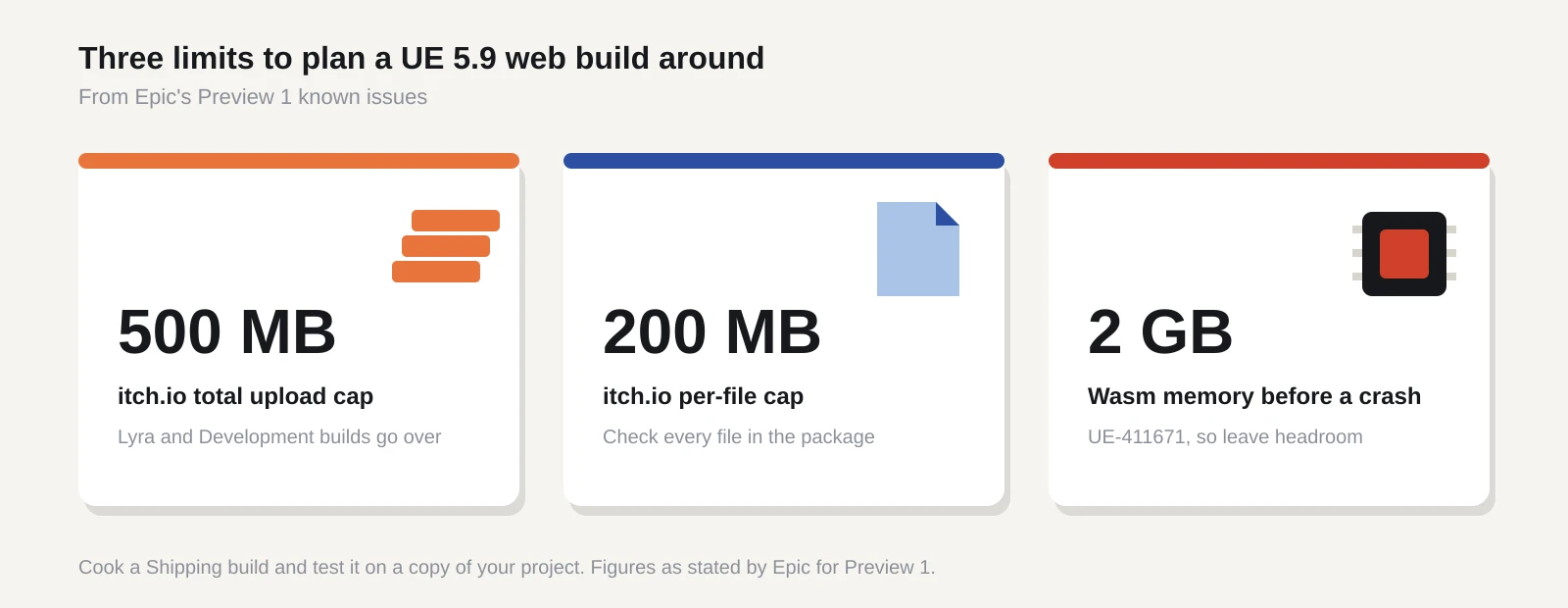
Size is the next wall. Epic’s own known-issues list warns that itch.io rejects browser games over 500 MB in total or 200 MB per file. Its Lyra sample and Development builds go over both. A Wasm build also crashes once it passes 2 GB of memory (UE-411671). Unreal’s defaults suit console and PC games, so plan on a small, tightly packed project.
The bug list is long for a single feature. The ones most likely to bite a small game:
- Save games and settings vanish when the page reloads (UE-412003). The fix is adding a -project argument to Page Args and repackaging.
- Forced multithreading can crash or freeze mobile browsers at startup (UE-411514, UE-412029). Stay single-threaded, or use a Shipping or Test build.
- iOS 26 WebKit uses far more thread memory than iOS 27 (UE-412148).
- BC or DXT textures don’t work on Android or on iPhones older than the 15 Pro. Cook with ASTC instead.
- Bink video isn’t supported, and calling Bink Media Player functions on web crashes the game (UE-411672).
- Projects created web-ready can’t join servers, because the web build has no IP net driver (UE-412027).
None of these stop you testing. Several would stop you shipping a web build to players.
What to do now
If you have a small C++ project and some spare evenings, Preview 1 is worth a try. Epic is clear about how: preview builds are unstable, so make a copy of your project rather than converting it. Then work through these checks.
- Get the engine from the Epic Games Launcher, the GitHub tag 5.9.0-preview-1 or the Linux download page. On Mac or Linux, build from source until the quick fix lands.
- Copy your project, open the copy in 5.9 and select the Wasm platform in Project Settings.
- Cook a Shipping build. Check the total size against itch.io’s 500 MB cap and every single file against its 200 MB cap.
- Serve the build with Play_.bat or the bundled Python server. Test in Chrome first, then on a real phone.
- Watch memory use. Anything near 2 GB will crash, so trim content until you have headroom.
- Check saving. If you ship on web, apply the -project Page Args workaround and test a reload.
- Report bugs through Epic’s bug form. This is the window when fixes happen.
If you plan to use the AI tools in the jam, one more step. New projects ship with the MCP toolset plugins switched off, so agents get no level-editing tools (UE-412135). Enable All Toolsets, restart the editor and reconnect your agent.
If you’re Blueprint-only, you have two choices. Adding a single C++ class to a copy of your project turns it into a C++ project, which may be enough to test the web target. We haven’t confirmed that path works with Preview 1. Otherwise, wait for later previews or 5.9 stable and watch whether Epic drops the source-build requirement.
If you need a browser build for a release date soon, don’t plan around Preview 1. The renderer is still a prototype and save data isn’t reliable yet. Stick with the tools you already ship with until stable.
Keep your main project on 5.8 either way. We gave the same advice about the next major version in “Unreal Engine 6 drops Blueprints. Stay on UE5 for now”, and it holds for this preview too. Try the web target on a throwaway copy, write down what breaks and decide when stable arrives.
Sources
- Unreal Engine 5.9 MegaJam Preview (Epic Developer Community Forums)
- Unreal Engine 5.9 release notes (Epic Games documentation)
- Epic confirms Unreal Engine 5.9 preview next week, with web back as a target (RuntimeWire)
- Unreal Engine’s Version 5.9 releases next week (Instant Gaming News)
- HTML5 in UE4 (4.26.2) - UE5 (5.0) (Epic Developer Community Forums)