Pick an engine faster with our free comparison tables
Our compare pages track price, royalties, licence, platforms and latest version for 17 engines and 18 tools, with sources, history and open CSV and JSON downloads.
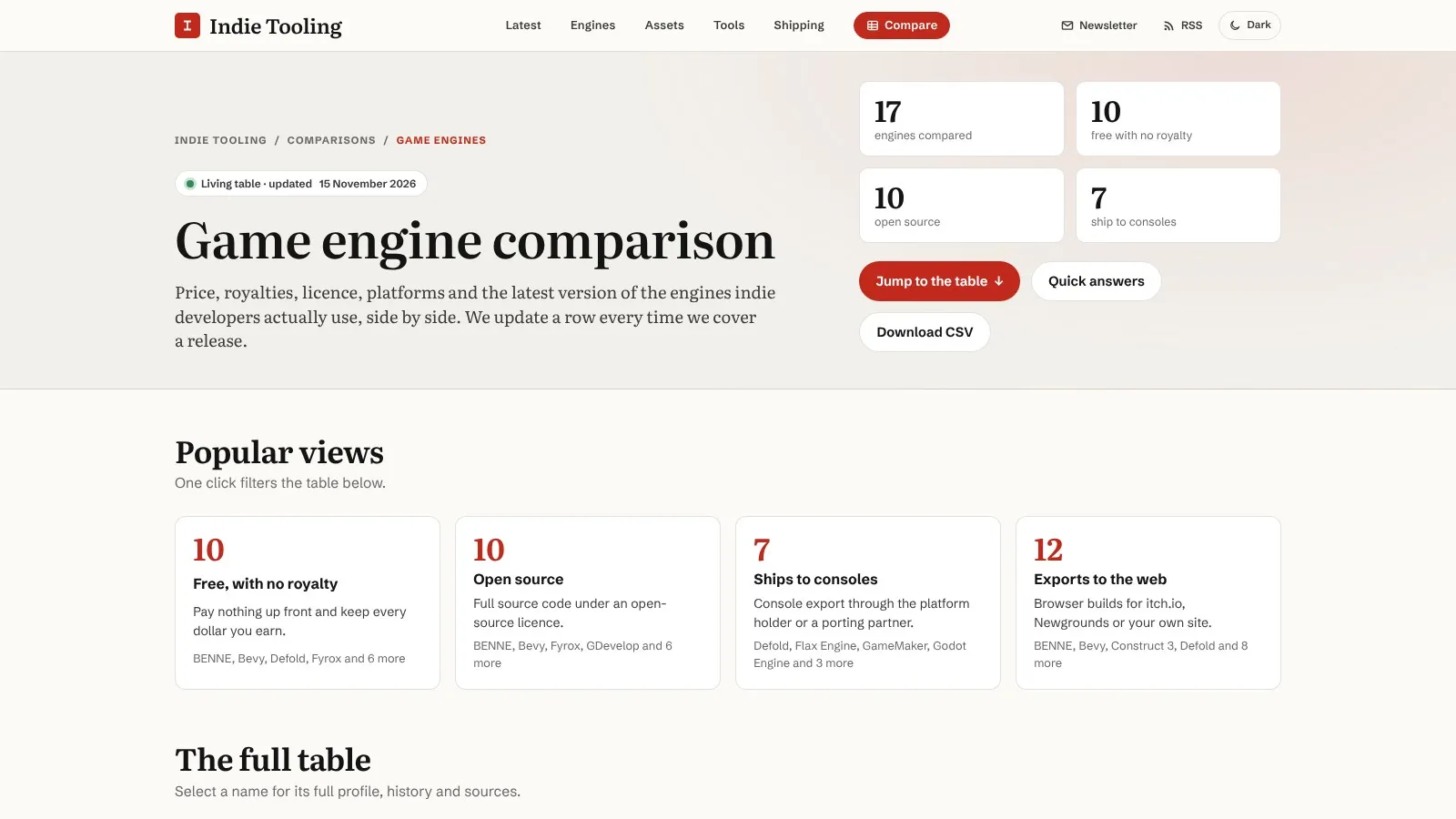
indietooling.com/compare now covers 35 products: 17 game engines and 18 dev tools. Each row lists what a solo dev pays, what the licence lets you do, where the editor runs and where you can ship. The engine table was last updated on 15 November 2026, and every row links to the official pages we checked.
We built it because most of our stories end with the same question from readers: how does this compare with what I already use? Release notes tell you what changed in one engine. They don’t tell you whether a rival does the same thing for less money or fewer strings. The tables are our answer, and they change every time we report a release, a price change or a licence change.
What’s in the engine table
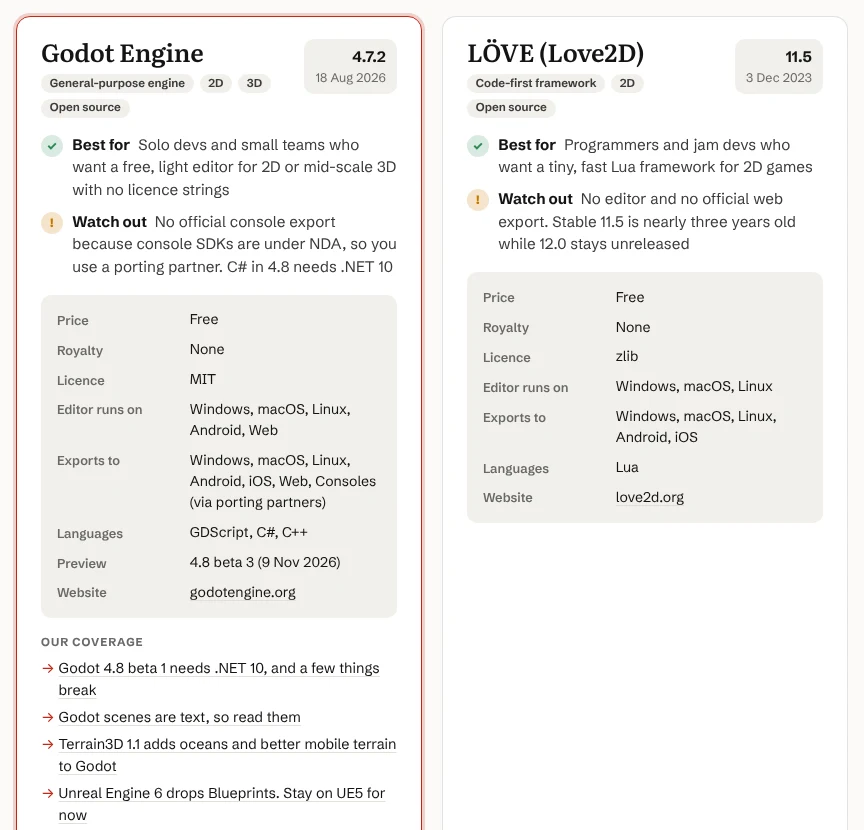
The engine table has eight columns: engine, latest stable version, price, royalty, licence, where the editor runs, where you can export, and supported languages. It covers the big names (Unity, Unreal Engine, Godot, GameMaker) and the smaller engines we report on often, including Bevy, Defold, Stride, Fyrox, Flax, MonoGame, O3DE, LÖVE, Phaser, GDevelop, Construct 3, RPG Maker MZ and BENNE.
A few rules keep the rows comparable:
- Price is what a solo developer pays, in the currency the vendor lists. Unity shows as free under US$200,000 in revenue and funding, with Pro at US$2,310 a seat a year above that.
- Royalty is spelled out in full. Unreal shows 5% of lifetime gross revenue above US$1 million per product, and notes that Epic Games Store sales are royalty-free. Flax shows 4% above US$250,000 per product per quarter.
- Latest stable means the newest non-preview build. Previews sit on a separate line, so you can see Godot 4.7.2 next to the 4.8 beta 3 snapshot, or Unity 6.6 next to the 7.0 alpha.
- Platforms are split in two. “Editor runs on” tells you whether you can work on Linux or in a browser. “Exports to” tells you where your players can be.
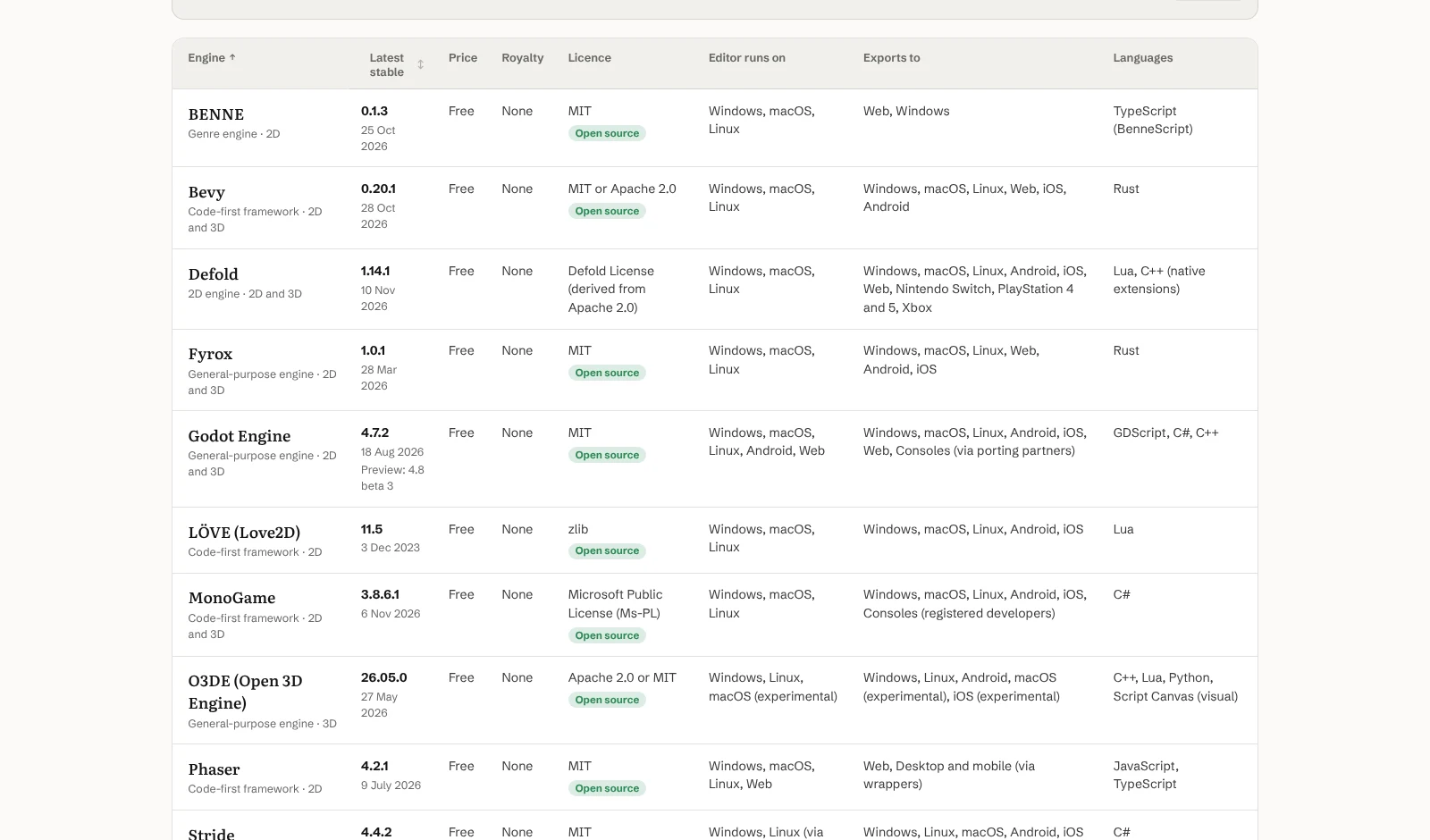
Click an engine’s name and you get its profile: a dated release history, the date we last checked it and the sources behind each cell.
What’s in the tools table
The tools table follows the same pattern with six columns: tool, latest stable version, price, licence, runs on, and works with. That last column tells you which engines or apps a tool plugs into. The 18 tools cover 3D modelling, texturing, animation, pixel art and 2D, level design, UV unwrapping and audio middleware. You’ll find Blender, Aseprite, Krita, Tiled, LDtk, FMOD Studio, Wwise and Substance 3D Painter, along with free newcomers we’ve covered such as UVgami and ActionForge.
The quick filters
Both tables open with one-click views for the questions readers ask most. On the engine side these are:
- Free with no royalty: 10 engines
- Open source: 10 engines
- Ships to consoles: 7 engines
- Exports to the web: 12 engines
On the tools side, there are views for free tools (9), open source (8), buy once with no subscription (4) and native Linux builds (12).
Each view has its own link, so you can bookmark or share one. For example, adding ?f=free,no-royalty to the engine page shows only the engines that cost nothing and take no cut. You can also search, filter and sort each table yourself.
How we keep it honest
A comparison table is only useful if it’s current, so here’s how ours stays that way.
We update a row whenever we publish a story about a release, a price change or a licence change. Each update adds a dated line to the row’s history, linked to the story where there is one. The changelog has 113 entries so far, going back to December 2020 for older licence changes we’ve filled in, such as FMOD’s free Indie licence. The engine changelog alone has 65.
Every cell is checked against the vendor’s own release notes, pricing page or licence page, and each source carries the date we last checked it. When something in a row is unclear, we say so in the row. Unreal’s entry, for example, notes that Epic has said it will drop its AI training ban but hasn’t yet published the new EULA text.
If you spot something out of date, tell us on X, Bluesky or Mastodon and we’ll fix it and add a history line.
Use the data yourself
Both tables download as CSV or JSON. The data is licensed CC BY 4.0, so you can reuse it in a blog post, a video, a course or your own tool, as long as you credit indietooling and link back. The page includes a suggested citation with the update date.
That makes it easy to do things the website doesn’t. Load the CSV into a spreadsheet, add a column for what matters to your project (your team’s language, a console you need), and sort.
What it means for a solo dev
Choosing an engine or a paid tool is one of the few decisions that’s expensive to undo. Most of us make it from old forum threads and a YouTube video or two, and those age fast. Unity’s pricing has changed twice in three years. GameMaker’s new runtime goes free for commercial games on 1 January 2027. Defold added Xbox support last month.
The tables won’t pick for you. They do put the facts that tend to bite later, like royalties, licence terms, console access and Linux support, in one place with a date on them.
What to do now
If you’re starting a project, open the engine table and apply the views that match your hard limits first. If you need consoles and no royalty, that’s two clicks. Then read the profiles of what’s left before you commit.
If you’re mid-project, check your current engine’s row and history. Make sure the version you’re on still matches the latest stable line, and look for licence or pricing notes you might have missed.
If you sell or plan to sell on a platform with revenue thresholds, check the royalty column against your realistic sales, not your hopes. A 5% cut above US$1 million won’t touch most indie games. A per-seat subscription starts the day you cross a revenue line.
And if your favourite engine or tool is missing, let us know. We add rows when we start covering a product regularly.