EVE Online's studio open-sources its CORTAO ambient occlusion
Fenris Creations has put CORTAO, its screen-space ambient occlusion shader, on GitHub under MIT. Here's what porting it to your engine actually involves.
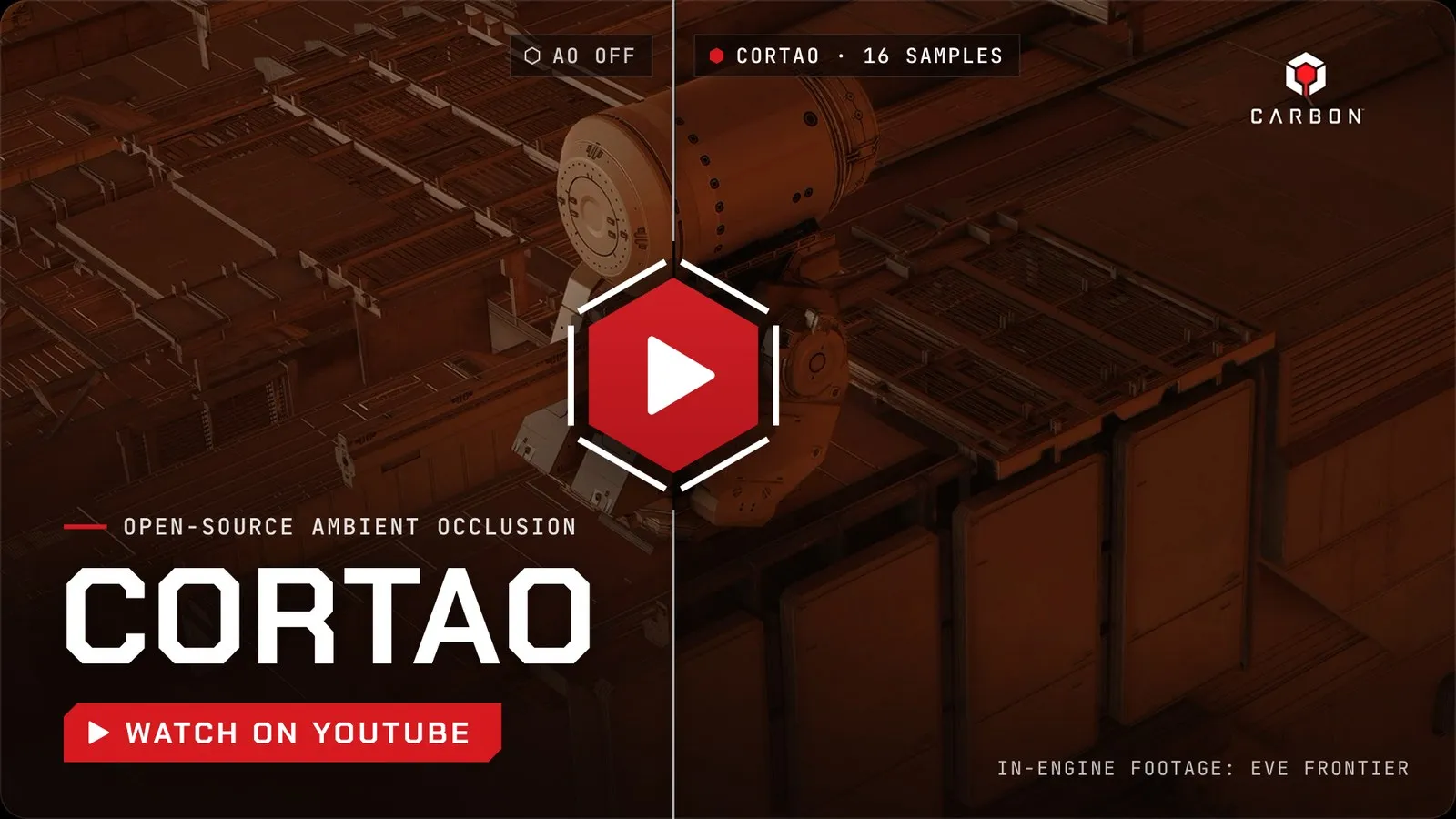
Fenris Creations, the EVE Online studio formerly known as CCP Games, has open-sourced CORTAO, a real-time ambient occlusion technique, under the MIT licence. 80 Level reported the release on 13 November 2026. Both repos list version 1.00. The original reference version sits on the account of its author, senior rendering engineer Daniel Isheden. A slimmed-down Carbon engine version sits on the studio’s engine account, with a 2026 Fenris Creations copyright line.
What CORTAO is and what it claims
Ambient occlusion (AO) darkens the spots where light from the sky and surroundings struggles to reach: corners, creases, the gap under a crate. Screen-space AO (SSAO) fakes this every frame using only the depth and normal buffers your renderer already has. No baking is needed, so it works on scenes that change. The catch is that the screen only knows about surfaces it can see. That gap causes the familiar dark halos around characters and shading that shifts as the camera moves.
CORTAO stands for Circular Occluder Ray-Traced Ambient Occlusion. The README says it builds small circular stand-in shapes from depth samples, then traces up to 32 rays per pixel against them. It also outputs bent normals, the average direction a pixel is open to the sky, which you can use for better ambient lighting.
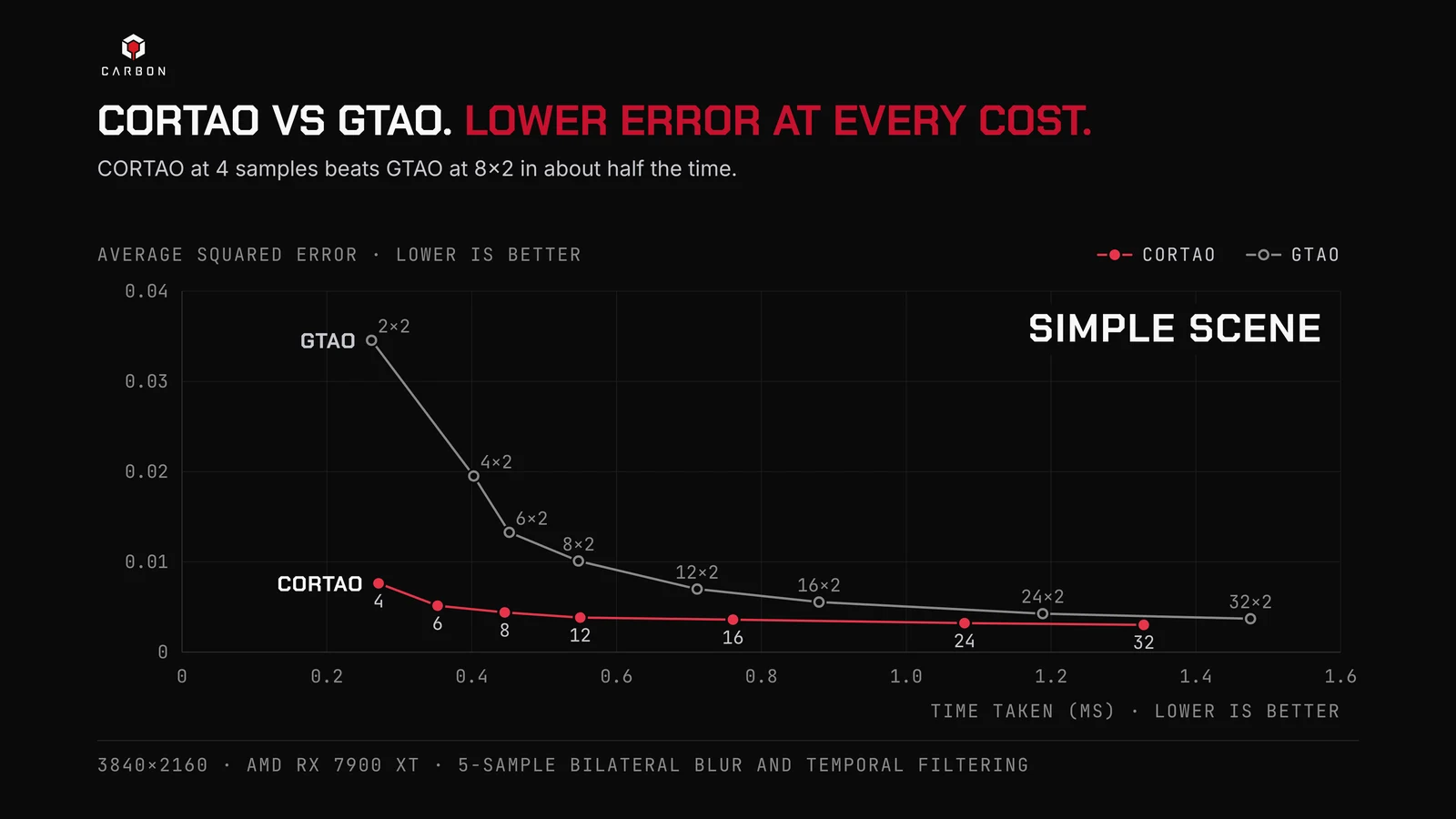
The README measures it against GTAO (Ground Truth Ambient Occlusion), today’s common baseline. In simple scenes, it says CORTAO matches GTAO’s accuracy in under half the GPU time. At equal GPU cost, it reports up to four times lower average squared error. It also claims bent normals cost about half of GTAO’s overhead. The README gives no millisecond timings, only charts, so test it on your own hardware. 80 Level adds that the studio has shipped it in EVE Frontier, its space survival MMO.
What’s in the box, and the licence terms
The code is shader source, not a plugin. The reference repo ships HLSL and GLSL versions behind compile switches, plus precomputed lookup tables. Isheden lists it as tested on DirectX 11, DirectX 12, OpenGL 4.3 and up, and Vulkan 1.0 and up. Metal and console APIs are untested and would need cross-compiling.
It runs as three compute passes: a prepass, a main pass and an optional filter. A few requirements stand out for anyone porting it:
- HLSL wants Shader Model 6.7, with documented but slower workarounds for older targets.
- Input normals must be in view space, and bent normals come out in view space.
- It recommends a 32-bit reverse depth buffer. A 16-bit linear depth buffer won’t do.
- The packed data buffer takes about 10.5 MB at 1080p, 18.8 MB at 1440p and 42.2 MB at 4K, per the Carbon README.
- Sample count is a compile-time constant, so each quality preset is its own shader variant.
- There’s no temporal filter. You supply one, such as TAA, FSR, DLSS or XeSS, or use a fixed random seed to avoid flicker.
MIT is about as friendly as licences get. You can use, modify and ship it in a commercial game. Keep the copyright and licence notice with the code, for example in your credits or third-party notices file. The Carbon repo adds that the licence grants no rights to Fenris trademarks or game content, so don’t market your game with EVE branding. This isn’t legal advice, so check anything unusual with your own adviser.
What each engine already gives you
Before you spend a weekend, check what’s already on the shelf.
Godot 4. The Environment resource has built-in SSAO and SSIL (screen-space indirect lighting). Godot’s global illumination docs say SSIL isn’t available on the Mobile or Compatibility renderers, and warn that SSAO has a real performance cost. To add CORTAO you’d write a CompositorEffect. Godot’s compositor docs say these run GLSL compute shaders on the Forward+ and Mobile renderers. The GLSL reference shader is the natural starting point. You’d still need to get view-space normals, pack depth to the format CORTAO wants, and feed the result back into lighting. That last step is the hard part from outside the engine.
Unity. URP ships an SSAO renderer feature that reads depth and normals. Unity posted an official preview of GTAO for URP on 25 June 2026, aimed at Unity 6.7, which needs 6000.7.0a1 or later. HDRP has screen-space AO with temporal accumulation, plus a ray-traced mode. A CORTAO port would be a custom URP renderer feature or HDRP custom pass dispatching the HLSL compute shaders. URP already has TAA and Unity supports upscalers, so the missing temporal filter is easier to cover than in a custom renderer.
Unreal Engine 5. The renderer has classic SSAO and GTAO, switched with the r.AmbientOcclusion.Method console variable (0 for SSAO, 1 for GTAO, per this UE 5.4 cvar reference). With Lumen on, Lumen supplies short-range AO, which Epic’s Lumen docs say you tune with an AO intensity setting. Replacing the built-in AO properly means engine source changes or a plugin hooking the render graph. A post-process material can’t run CORTAO’s compute passes. For most Unreal solo devs, that’s the weakest case.
Custom renderers. This is where CORTAO fits best. If you already have a depth prepass, view-space normals and TAA, the README calls it a drop-in replacement for most SSAO setups.
What to do now
If you’re on Lumen, or happy with Godot’s SSAO or Unity’s coming GTAO, you can skip this one for now. If AO halos bother you, or you run your own renderer or a heavily customised pipeline, it’s worth a look.
- Read the reference README and its integration notes before you write any code. Most of the work is in getting the inputs right.
- Pick the repo that matches your target. Use the reference version for GLSL, OpenGL or Vulkan. Use the Carbon version for HLSL on DirectX, or for very large depth ranges like space scenes.
- Check the LICENSE file in the repo you actually copy from, and add its notice to your third-party credits.
- Budget the memory. 42.2 MB at 4K matters on lower-end targets.
- Benchmark it against your engine’s current AO, on your slowest target hardware, before you commit to it.
Sources
- CORTAO reference implementation (GitHub, theagentd)
- CORTAO Carbon engine version (GitHub, carbonengine)
- EVE Online dev open-sources its physically based SSAO technology (80 Level)
- The Compositor (Godot docs)
- Introduction to global illumination (Godot docs)
- URP SSAO renderer feature (Unity docs)
- Preview of URP GTAO (Unity Discussions)
- HDRP ambient occlusion reference (Unity docs)
- Lumen global illumination and reflections (Epic docs)
- r.AmbientOcclusion.Method (UE 5.4 cvar wiki, community)