TexBridge sends Painter textures to UE5 for $9. Do you need it?
A new Windows tool exports from Substance 3D Painter, fixes Unreal's import settings and builds Material Instances in one click. What it does, what it doesn't, and the free alternatives.
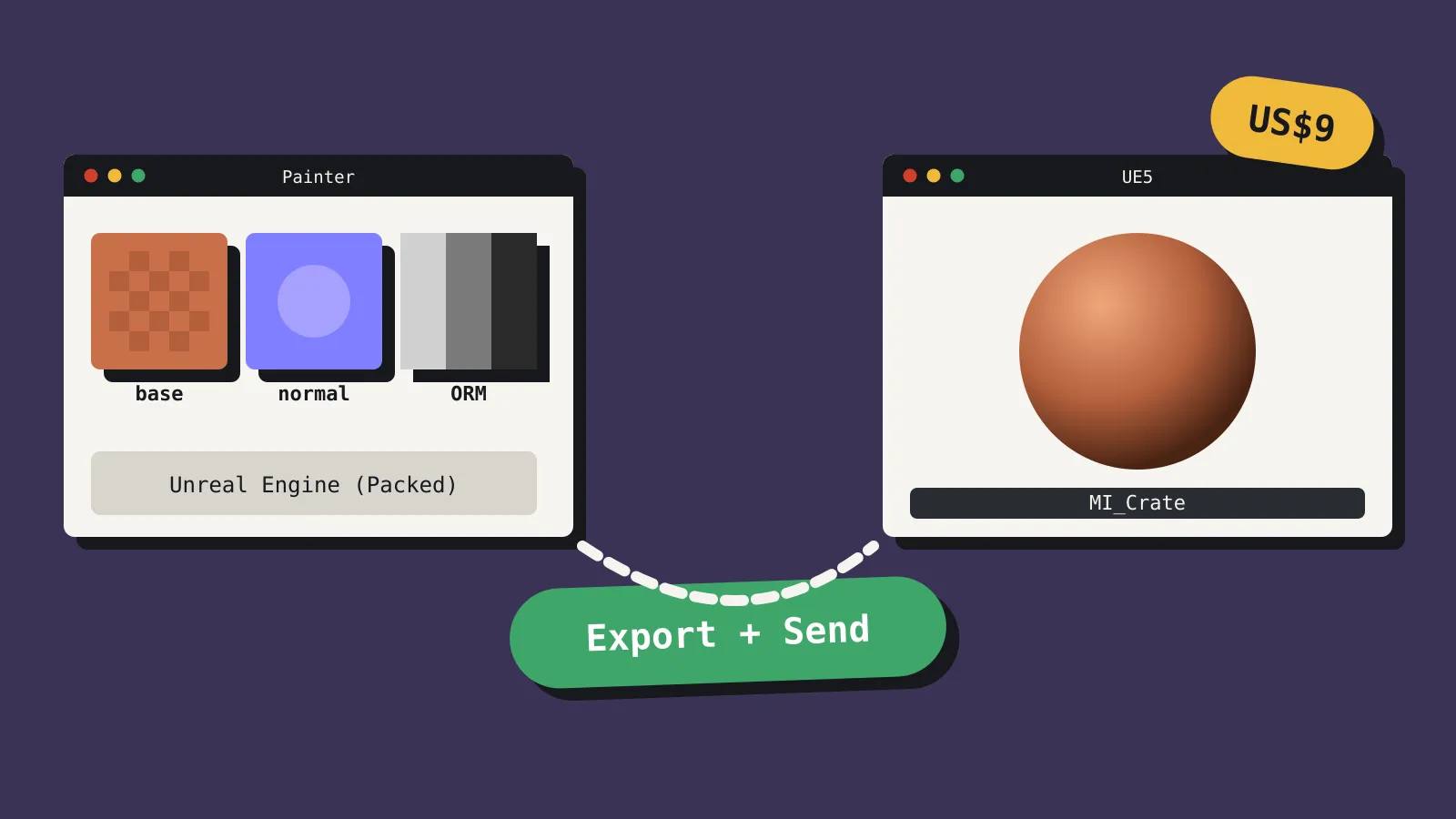
Moss3D released TexBridge around 10 October 2026. It’s a Windows tool that exports textures from Substance 3D Painter, imports them into an open Unreal Engine 5 project, and builds a Material Instance for each texture set, all from one button. A personal licence costs US$9 on Gumroad, down from US$17 at launch. A five-seat studio licence is US$46 and ten seats is US$69, according to the developer’s release thread on Epic’s forums. 80 Level covered it on 17 October.
Nine dollars is cheap. The question is whether it does anything you can’t already do for free.
The problem it solves
Getting a textured model from Painter into Unreal takes a handful of small steps. You pick an export preset, usually “Unreal Engine (Packed)”, which puts ambient occlusion, roughness and metallic into one ORM texture. You export, then import into Unreal. Then you fix the import settings. The ORM map needs sRGB turned off and Masks compression, or your roughness will look wrong. Then you create a Material Instance, plug each texture into it and assign it to the mesh.
Unreal doesn’t do much of this for you. It guesses whether a texture is a normal map from its pixels, not its filename, and there’s no documented rule that reads “_ORM” and sets the right options. Users have complained for years about packed maps arriving as sRGB.
Adobe’s official route has also gone. Adobe’s own docs say Live Link for Unreal Engine is no longer supported, and an Adobe community manager said in 2022 that it wasn’t available in UE5. Adobe’s free Substance 3D for Unreal Engine plugin is still on Fab, but it’s for procedural .sbsar materials, not Painter exports.
None of these steps is hard. They’re just repetitive, and they add up when you’re pushing dozens of texture sets.
What TexBridge does
With Painter and Unreal both open, you pick a Painter export preset, the texture sets you want and a destination folder in your Unreal project, then click Export + Send. TexBridge then:
- exports and imports the textures
- sets compression and sRGB for each map type, so normal maps get Normal Map compression and ORM maps come in as Masks with sRGB off
- converts OpenGL normal maps to DirectX, which Unreal expects
- creates one Material Instance per texture set, using its own bundled master materials or yours
- assigns those Material Instances to whichever Static Meshes you’ve selected
- merges UDIM tiles into Virtual Textures, per the developer’s release thread
You can save export settings and material mappings as profiles and share them, which is handy for a small team that wants every artist exporting the same way. The tutorial video has a chapter on re-sending, titled “updates instead of duplicates”, so changing a texture and sending again should update the existing assets.
How it connects
TexBridge talks to Unreal through Unreal’s built-in Python Remote Execution. You don’t install an Unreal plugin. The only change on the Unreal side is turning on Enable Remote Execution in the Python project settings. TexBridge itself runs inside Painter.
That design has limits. Both programs must run on the same Windows machine. It needs Substance 3D Painter 8.3 or later (tested up to 12.1) and Unreal Engine 5.0 to 5.8. There’s no macOS or Linux version.
What it doesn’t do
TexBridge is a manual push. We found nothing suggesting it syncs automatically when you save in Painter, so you still click Send each time.
We also couldn’t confirm several details before publishing. The Gumroad page didn’t load fully for us, so we haven’t seen the licence text, whether the personal licence covers commercial work, the refund policy or a version number. The developer, who posts as Moss3D, offers support through Discord and states that TexBridge isn’t affiliated with Adobe or Epic. The trailer had fewer than 100 views when we checked, so this is a brand-new tool from a small seller. Read the licence on Gumroad before you buy.
The alternatives
Do it by hand. Painter’s “Unreal Engine (Packed)” preset gets you the right files. Fixing the ORM settings and building a Material Instance takes a few minutes per asset once you know the steps.
ORM Texture Auto Setup. A free Fab plugin that sets Masks compression and turns sRGB off on any texture whose name ends in “ORM”. It fixes the most common mistake and nothing else.
Substance Painter Bridge for Unreal. RaulyFTB’s plugin, posted in July 2026 for UE 5.7, works from the Unreal side. It sends a mesh to Painter, brings the maps back, creates Material Instances, sets compression and syncs automatically when you save the Painter project. It handles one asset at a time, and Fab didn’t show us a price.
Write your own. Unreal’s Interchange pipeline exposes Python options to detect normal maps, flip the green channel and import UDIMs. If someone on your team is comfortable with Python, a short script can cover much of what TexBridge does.
Who should buy it
Context helps here. Painter itself costs US$24.99 a month on Adobe’s Texturing plan, or US$59.99 a month as part of the Substance 3D Collection, so TexBridge is a small add-on to what you already pay.
TexBridge makes sense if:
- you texture lots of assets in Painter and send them to UE5 every week
- you work with UDIM hero assets and want them as Virtual Textures without manual setup
- you’re a small team that wants everyone using the same export profile, where the five-seat licence is cheaper than one person’s lost afternoon
Skip it if you only texture a few assets, you work on a Mac, you already have an export script, or most of your materials come from Fab or Megascans rather than Painter. If you only ever trip over ORM settings, the free plugin fixes that.
At US$9, TexBridge pays for itself if it saves you an hour. Watch the 30-minute tutorial first, and check the licence on Gumroad before you rely on it for commercial work.
Sources
- TexBridge on Gumroad (Moss3D)
- TexBridge release thread (Unreal Engine forums)
- TexBridge tutorial (YouTube)
- TexBridge trailer (YouTube)
- This tool speeds up texturing workflow between Painter and UE5 (80 Level)
- Live Link in Unreal Engine (Adobe)
- Substance 3D for Unreal Engine plugin (Fab)
- Painter default export presets (Adobe)
- Python settings in project settings (Epic)
- InterchangeGenericTexturePipeline (Epic)
- ORM Texture Auto Setup (Fab)
- Substance Painter Bridge for Unreal (Fab)
- Substance 3D pricing update (Adobe)