Unreal 5.8.4 changes how your iOS game starts up
Epic's latest hotfix switches iOS, iPadOS and tvOS builds to Apple's UIScene lifecycle by default. What that means, what can break and what to test first.
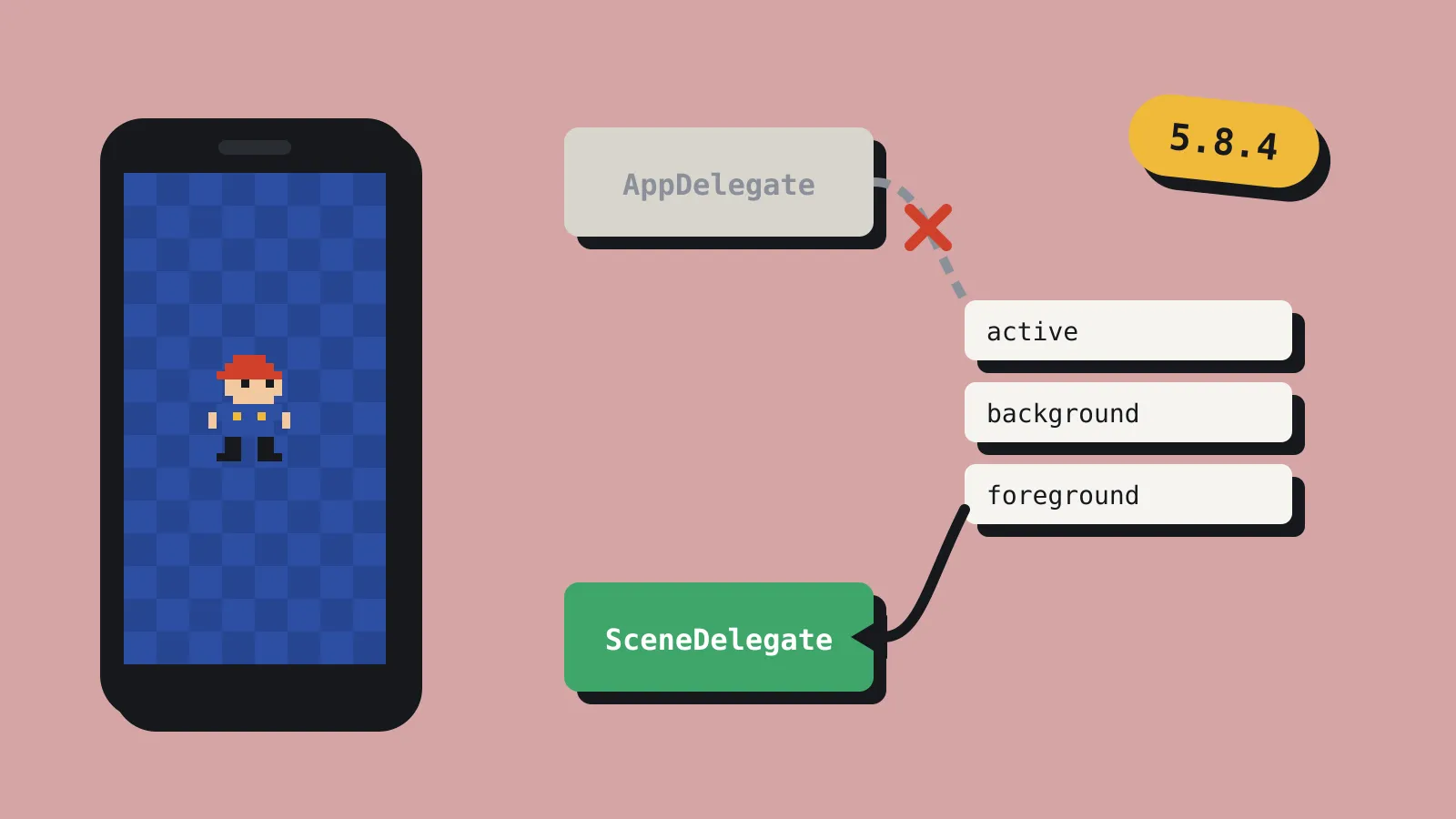
Epic released the Unreal Engine 5.8.4 hotfix on 20 October 2026. Most of it is crash fixes. One line matters more than the rest if you ship on Apple devices: the iOS client now uses Apple’s UIScene lifecycle by default. That covers iPhone, iPad and Apple TV builds.
If your game is Blueprint-only and uses Epic’s own plugins, you may never notice. If you or a plugin you rely on hooks into the iOS app delegate, test this before you ship a build made with 5.8.4.
What UIScene is, and why Epic changed it now
Every iOS app gets told when it starts, goes to the background, comes back or gets interrupted. For years those messages went to one object, the app delegate. Apple’s newer model, the scene lifecycle, sends the screen-related ones to a scene delegate instead. Each window (a “scene”) gets its own start, pause and resume events.
Apple has been warning about this for a while. Since iOS 18.4, apps that haven’t moved over print a warning in the device log. In iOS 26 the warning got firmer. Apple’s documentation now says apps built with the iOS 27 SDK (or the iPadOS, tvOS, visionOS and Mac Catalyst 27 SDKs) must use the scene lifecycle or they fail to launch. Games already on the App Store keep working. The rule bites the next time you build against the new SDK.
So Epic’s change is about keeping your next iOS build launching at all. The same hotfix also fixes iOS app packaging on macOS 27, which failed with a “Bad file descriptor” error. Epic is clearly getting 5.8 ready for this year’s Apple toolchain.
What can break
Apple’s migration guide is blunt about one detail. Once an app adopts scenes, UIKit stops calling the old app delegate methods for becoming active, resigning active, entering the background and returning to the foreground. It stops even if your code still implements them. The scene delegate gets those events instead.
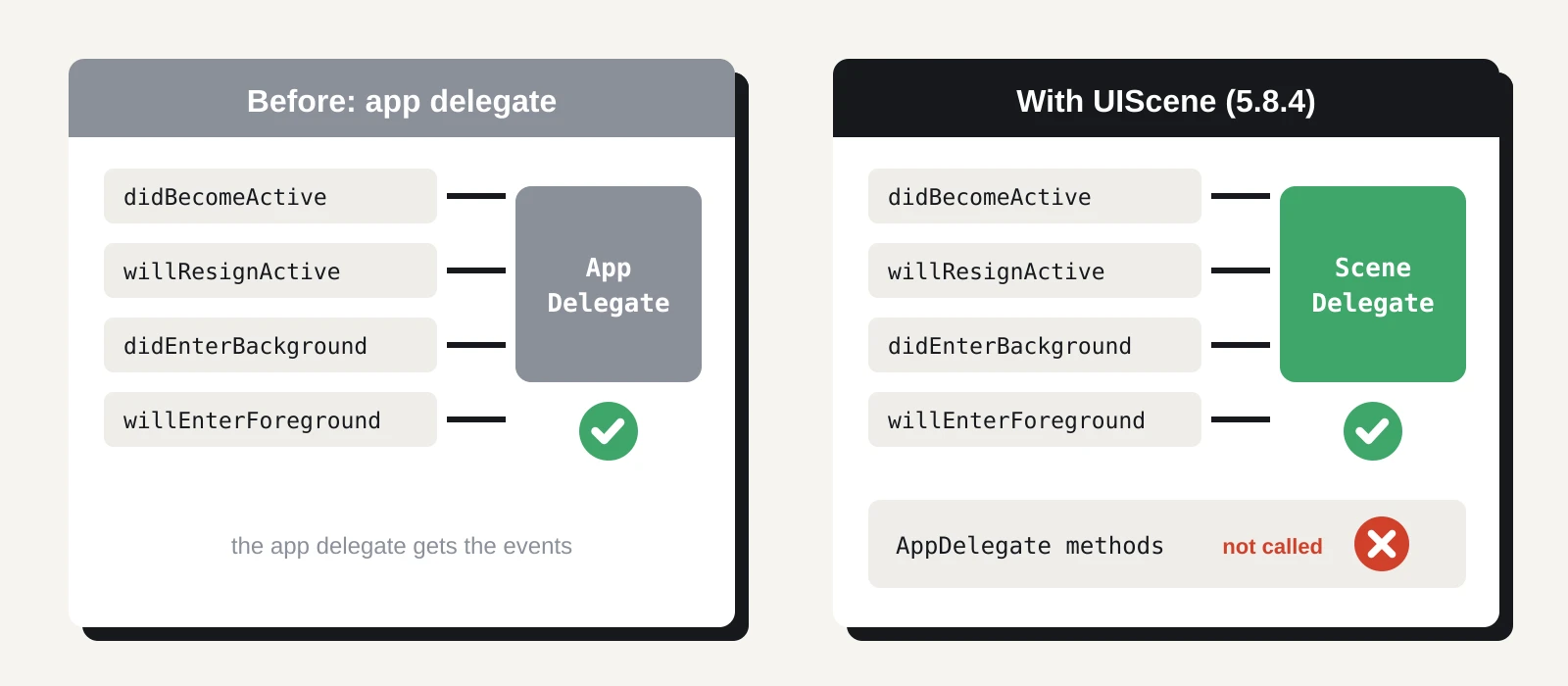
That matters for code that does real work at those moments. Common examples in games:
- pausing the game and muting audio when a call or notification arrives
- saving progress when the player swipes the game away
- restarting the audio session after an interruption
- refreshing ad, analytics or attribution SDKs when the app returns
If any of that lives in a custom app delegate, a native plugin or a third-party SDK wrapper, it may silently stop running. Nothing crashes. Your game just stops pausing, or stops saving on exit. That’s the kind of bug players find before you do.
Epic’s release post doesn’t say whether there’s a project setting to switch the old behaviour back on. It also doesn’t list which engine-side delegate hooks moved. Until Epic documents that, assume you need to test rather than toggle.
The rest of the hotfix
The other changes are smaller but worth a scan if you’re on 5.8:
- Visual Studio 2026. The editor now reuses your open Visual Studio window instead of opening a new one for each source file. It also understands the newer .slnx solution format. If a project has both a .slnx and a .sln file, the editor opens the .slnx. If your build scripts or team habits assume the .sln, check they still point at the file you expect.
- New Apple device profiles. iPhone 17e, the iPhone 18 Pro models and the new iPad Air models now have base profiles, so scalability settings apply properly on them.
- Rendering. A Lumen regression that cleared indirect lighting every frame during SceneCapture2D rendering is fixed. So is a missing specular profile in some Substrate materials in the path tracer.
- Gameplay and physics. Several Mover crashes in trajectory prediction are fixed. ChaosVehicles driven by an AIController now get input with physics prediction turned on.
- Online. The Epic Online Services SDK moves to 1.19.2.1 (binaries only).
- Security. Horde, Epic’s build and CI server, no longer allows path traversal when extracting artefacts. If you self-host Horde, update it.
There’s one known issue. The PCG Editor Mode paint tool doesn’t update in real time. Epic’s workaround is to perform any other action, and the painted meshes appear.
What to do this week
If you don’t ship on Apple platforms, update when it suits you. It’s a crash-fix release with no breaking changes outside iOS. Check the .slnx behaviour if you use Visual Studio 2026.
If you do ship on iPhone, iPad or Apple TV, take it in steps:
- Upgrade on a branch. Keep your release branch on 5.8.3 until you’ve tested. A hotfix is still an engine upgrade.
- Search your project for the old delegate methods. Look in your Source folder and every plugin for applicationDidBecomeActive, applicationWillResignActive, applicationDidEnterBackground and applicationWillEnterForeground. Each hit is code that may stop running.
- Check third-party plugins. Ad networks, analytics, attribution, push and deep-link plugins are the usual suspects. Ask each vendor whether their Unreal plugin supports UIScene. Note the answer in your tracker.
- Test on a real device. Background the game and return. Take a phone call mid-level. Pull down Control Centre. Lock the screen. Check that pause, audio and saving all behave as before. The simulator won’t catch everything.
- Read the device log. Connect the device and filter for “UIScene” in Console on your Mac. If you still see Apple’s migration warning, something in your build is still on the old model.
If you’re mid-launch, don’t rush this in during submission week. Builds made with your current setup keep working. Plan the upgrade for your next update instead, and give yourself a day of device testing.
Apple’s deadline isn’t going away, so skipping 5.8.4 only delays the work. The good news is that Epic has done the engine side. What’s left is your own code and your plugins. For most small iOS games, that’s an afternoon of searching and an evening of testing.