Ucupaint 3.0 rebuilds Blender texture painting around layers
The free, GPL-licensed add-on splits height from normal, adds adjustment layers and reworks baking. Here's what migrates in old files and when to upgrade.

Ucupaint 3.0.0, the free layer-based texture-painting add-on for Blender, shipped on 23 October 2026 according to its GitHub release notes. It’s the biggest update in the project’s history. The interface now centres on the layer list, height gets its own channel, and every channel needs a bake target before it can bake. The add-on is tested with Blender 2.76 to 5.3 and licensed under the GNU GPL v3 or later, per its Blender Extensions listing.
What changed in 3.0
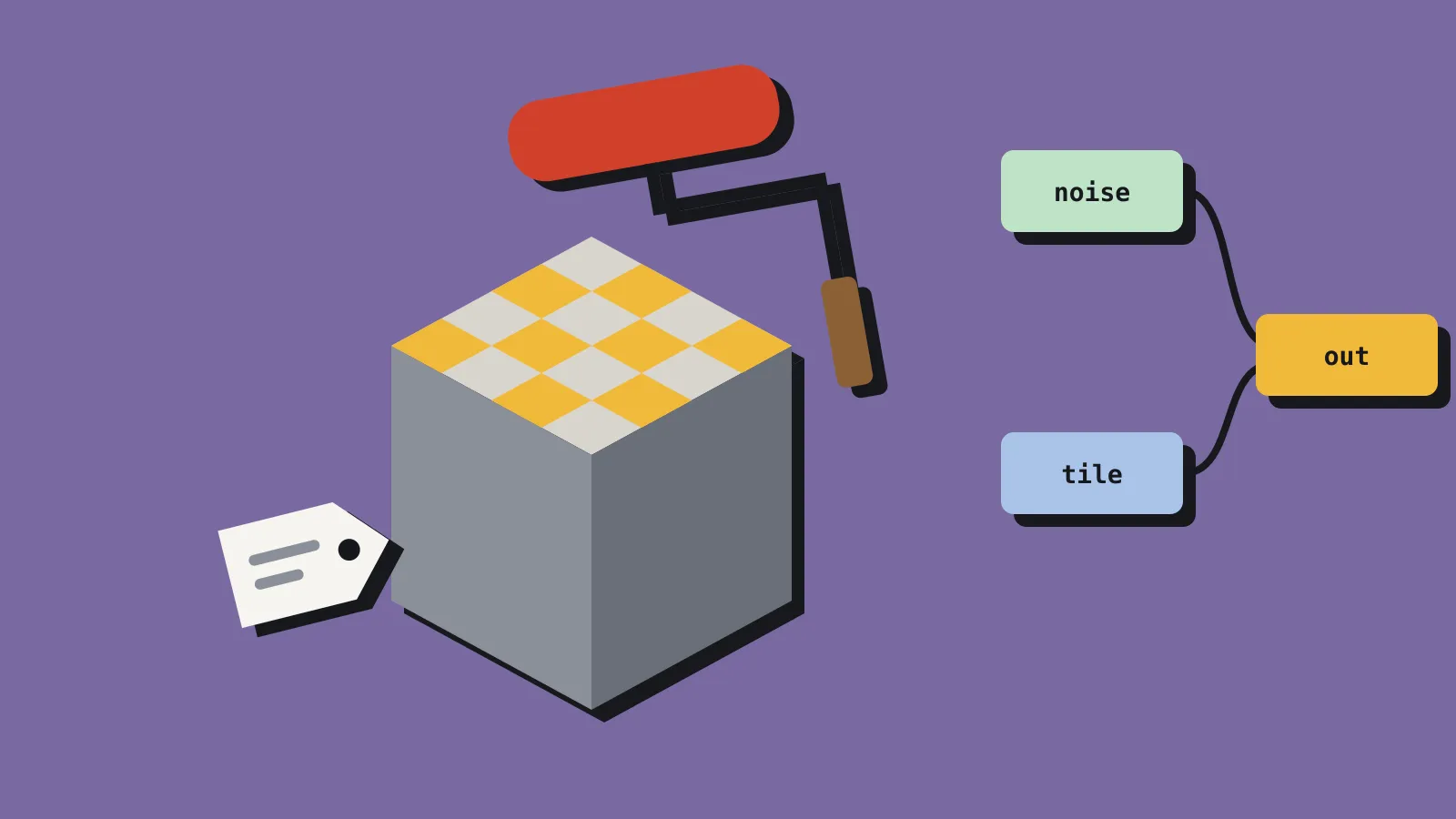
The headline change is the interface. Most panels now sit behind popover buttons, so the layer list takes up the space. Ucupaint also creates a Base Layer automatically. That layer holds the starting value for every channel, such as base colour or roughness, so you no longer hunt for those settings in separate panels.
Height and vector displacement are now separate channels. Height used to be called bump and lived inside the normal channel. A normal map fakes surface detail by bending light, while height and displacement describe actual surface offset. By default, height still feeds extra bumps into the normal channel, so a basic workflow behaves much as before, according to GameFromScratch.
The old Displacement Setup toggle is gone. In its place is a Quick Displacement Setup operator, which turns on displacement and subdivides the mesh. You can run it repeatedly to check how many polygons you’re adding, per 80.lv.
Other additions in the release notes:
- One preview mode now covers channels, layers, layer alpha, masks and custom data, replacing separate channel and layer previews.
- Adjustment layers take the result of the layers below and let you apply modifiers to it, much like an adjustment layer in an image editor.
- Spherical and cylindrical decal types join the existing decals, contributed by GitHub user lsmine0.
- Baking was refactored. Each channel gets a bake target, generated automatically when you create the channel. ORM maps (occlusion, roughness and metallic packed into one texture’s red, green and blue) and colour attributes can now be bake targets.
The bug fix list includes UV map problems in Blender 5.3, node disconnections in files made before Blender 3.4, and interpolation errors when baking multiresolution displacement.
What breaks or migrates in old files
The release notes list four changes that affect existing projects. The legacy Smoother Bump option has been removed, and Ucupaint converts older files to the new system when you open them in 3.0. The Vector setting has been renamed Mapping. The Bake All Channels operator is now called Bake Ucupaint Node. The displacement toggle is now the operator described above.
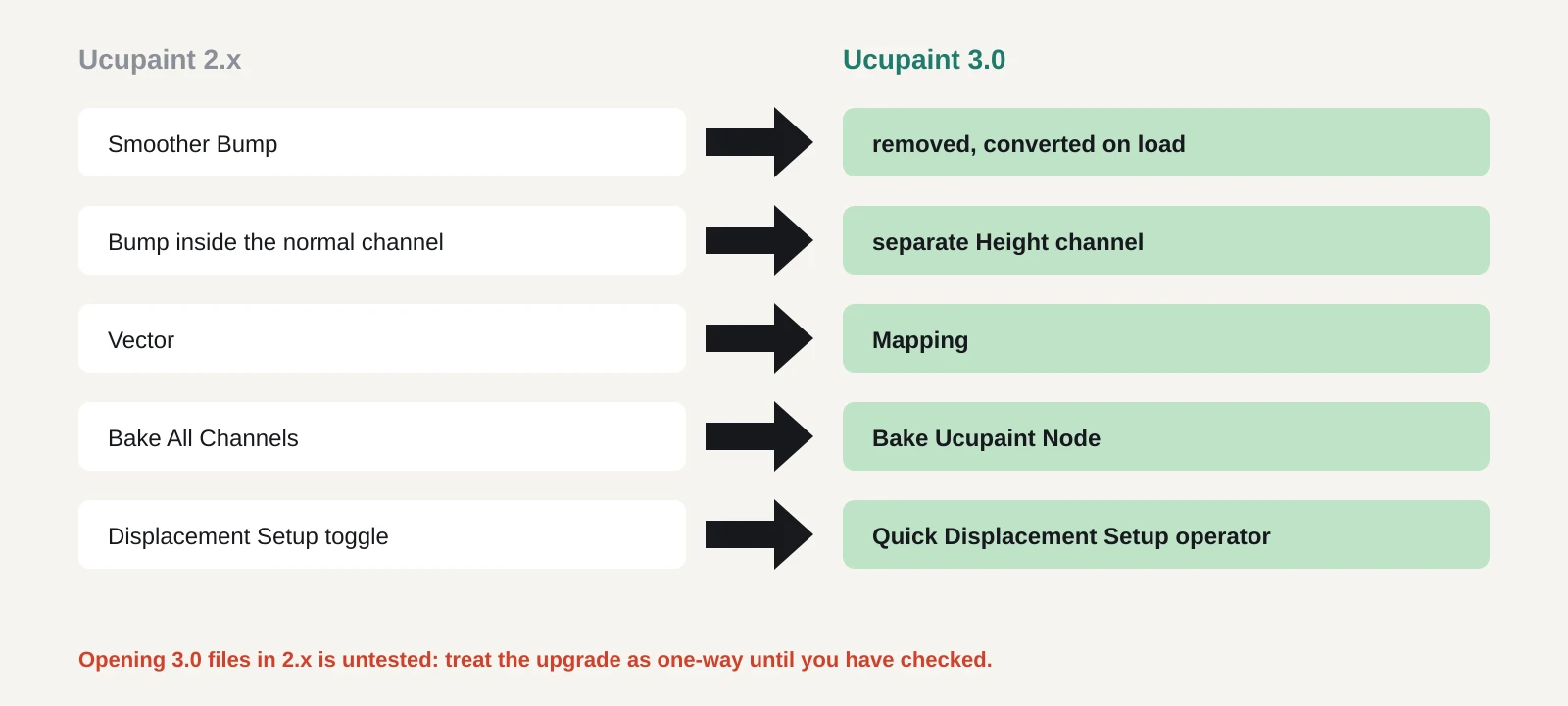
The notes don’t spell out how bump settings map onto the new height channel in an existing file. Automatic conversion is helpful, but it also means a file opened in 3.0 may not look identical to how it did in 2.x. The notes also don’t say whether a file saved in 3.0 will open cleanly in an older version. Treat the upgrade as one-way until you’ve tested it.
There is also an install wrinkle. The Blender Extensions listing requires Blender 4.2 LTS or newer. If you’re on an older Blender, the project points you to GitHub, where 3.0.0 comes in two zips: one for Blender 2.80 to 5.3 and a legacy build for 2.76 to 2.79.
Is it close enough to Substance Painter now?
For a lot of small-game texturing, the gap has narrowed. Ucupaint’s own Extensions listing pitches it as a way to manage texture layers inside Blender’s shader editor, with both the Eevee and Cycles renderers. With 3.0 it has a layer-first interface, masks, adjustment layers, decals, height and normal as separate channels, and ORM baking. That covers the core loop for hand-painted or stylised assets headed to Godot, Unity or Unreal.
Substance 3D Painter remains a paid product. Its 2026 edition is listed at US$199.99 on Steam, where Adobe describes a standalone perpetual version that gets feature updates until March 2027. Painter’s smart materials, generators and engine export presets are the usual reasons studios pick it. If your pipeline depends on those, 3.0 doesn’t change your decision. We compared the full price range in Two years of texturing tools priced, from free to US$600.
Ucupaint’s advantage is that you never leave Blender. It works inside the shader editor, so there’s no export and reimport loop between modelling and painting. The source is on GitHub, and the GPL licence means you can use it on commercial projects without a fee.
What it means for a solo dev or small team
If you’re starting a new project in Blender, 3.0 is the version to learn. The layer-first interface is easier to pick up, and the split between height and normal matches how game engines expect texture maps. ORM as a bake target saves you packing channels by hand for engines that use that layout, such as Unreal.
If you’re mid-project with a stack of 2.x files, the picture is different. Automatic conversion of bump and bake settings touches the data that produces your exported maps. A small shift in normal or height output can show up across a whole set of assets. For a team of two or three, that’s the kind of change you want to make between milestones, not a week before a demo.
If you’re on a Blender older than 4.2, you can still run 3.0. You’ll install from GitHub rather than the Extensions platform, and you’ll need to update by hand.
What to do now
- Back up your project folder, or commit it if you use version control, before you install anything.
- Install 3.0.0 from the Extensions platform on Blender 4.2 or newer, or from the GitHub release for older versions.
- Open a copy of one representative 2.x file. Bake every channel and compare the output with your current textures in your engine.
- Look for anything that used Smoother Bump or the old displacement toggle, since those were converted.
- Re-check any scripts or notes that refer to Bake All Channels or Vector, which are now Bake Ucupaint Node and Mapping.
- If the comparison is clean, upgrade. If not, finish the current milestone on 2.x and switch afterwards.