UNOMi says its AI lip-sync is in Blender. Its own site isn't sure
A paid BlenderNation post says UNOMi's AI lip-sync now works in Blender, but its homepage still says soon. What we could confirm, and what to use meanwhile.
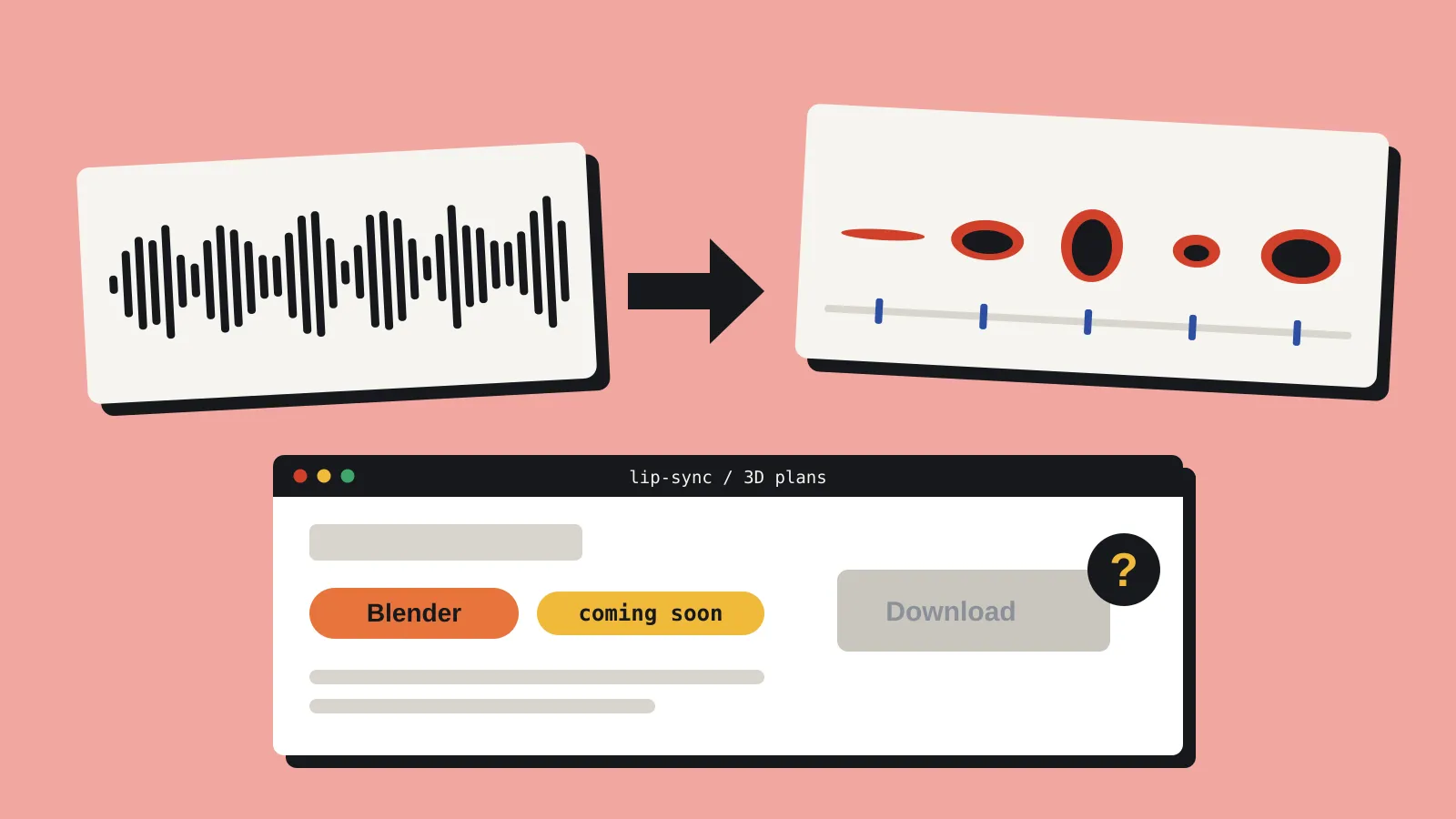
A post on BlenderNation on 9 October says UNOMi has “officially brought” its AI lip-sync tool to Blender. UNOMi’s own homepage still lists Blender as coming soon. We looked at what’s actually available, what it costs, and how it compares with tools a solo developer might already use.
The BlenderNation post carries the site’s “Paid” label and reads like company copy. It has no download link, no price and no Blender version requirement. Its only link goes to getunomi.com.
What UNOMi does
UNOMi takes recorded dialogue and generates mouth animation for a character. If you haven’t used a lip-sync tool before, the idea is simple: it works out which sounds happen when in the audio, then switches between a small set of mouth poses, often called visemes, to match. The hard part is getting the timing and the transitions right, and that’s what you’re paying for.
It already sells a 3D plugin for Maya and Cinema 4D, and a 2D app that works with Toon Boom, Adobe Animate and TVPaint.
On the 3D side, the Autodesk Marketplace listing for the Maya plugin says your character needs 14 blend shapes, one per mouth pose. UNOMi keys those shapes from your audio. It doesn’t build a face rig for you, so you still sculpt the poses yourself. UNOMi’s 3D page lists FBX and glTF for import and export.
The language list depends on where you look. BlenderNation lists eight: English, Spanish, Mandarin, Portuguese, French, German, Korean and Russian. UNOMi’s own 3D page lists English, French, German, Italian, Japanese, Spanish and Portuguese. If your voice lines are in Mandarin, Korean or Russian, confirm support before you pay.
Is the Blender version out?
UNOMi’s site contradicts itself:
- The homepage says its 3D lip-sync will soon be available for Blender and Unreal.
- The 3D lip-sync page lists only Maya and Cinema 4D.
- The buy page has a “UNOMi 3D (Blender)” pricing group with working subscribe buttons, plus an Unreal one.
- The trial download sits behind a sign-in, so we couldn’t see whether a Blender add-on is on offer. No supported Blender versions are listed anywhere.
Our read: you may be able to pay for a Blender plan today, but we couldn’t confirm there’s a Blender add-on to install. Until UNOMi publishes one, treat this as announced rather than shipped.
What it costs
The 3D plans are the same for every host app on the buy page. No currency is shown, but the prices look like US dollars.
| Plan | Price per month | Lip-sync time per month |
|---|---|---|
| Basic | Free | 60 seconds |
| Standard | $29.60 | 10 minutes |
| Pro | $56 | 30 minutes |
| Enterprise | $98 | 60 minutes |
Extra time costs $15 a credit, or $10 on Enterprise. The free tier is enough to run a few short lines through it once the add-on is available.
Questions to answer before you commit
Where your audio goes. The Maya listing says the plugin needs a constant internet connection to check your licence and run the lip-sync. That points to processing on UNOMi’s servers, which means your voice recordings leave your machine. Check that your voice actors’ contracts allow it.
Who owns the output. UNOMi’s terms say you keep ownership of the content you upload. They also say intellectual property you generate in connection with the service belongs to UNOMi. The terms don’t say whether that covers the animation the tool produces. Get an answer in writing before you ship a game with it.
What happens to your data. UNOMi’s privacy policy says it was last updated in 2017, and it doesn’t mention audio files at all.
Getting it into a game
If the Blender version works the way the Maya one does, the output will be shape key animation on your character’s face. That route into an engine is well trodden. Export as FBX or glTF with shape keys and animation included, and Godot, Unity and Unreal all import the result as blend shapes. In Godot they arrive as blend shape tracks in an AnimationPlayer. Unity brings them in as blend shape curves on an animation clip, and Unreal turns them into morph target curves.
The thing to test is whether the timing survives the trip. Check it with one short line first, especially if the mouth is split across separate meshes for lips, teeth and tongue, which the Maya plugin supports.
Alternatives you can use today
These all work now. The first three run in or alongside Blender. Audio2Face suits Maya and Unreal pipelines.
| Tool | Price | Works in | What you get |
|---|---|---|---|
| Rhubarb Lip Sync 1.14 | Free, MIT licence | Command line, runs locally | Mouth-shape timings (6 to 9 shapes) as JSON, XML or TSV |
| Rhubarb Lipsync NG | US$12 | Blender 3.3 to 5.2 | Shape key or bone animation, built on Rhubarb |
| Parrot Lipsync | Free (GPL), or a paid supporter copy | Blender | Keyframed actions or NLA tracks |
| NVIDIA Audio2Face | Free, open source | Maya and Unreal Engine 5.5 and 5.6 plugins | Facial animation from audio |
Rhubarb’s speech recognition only understands English. It has a phonetic mode for other languages, but it’s less accurate. NVIDIA open-sourced Audio2Face in September 2025: the SDK and plugins are MIT-licensed, and the trained models use NVIDIA’s own open model licence.
Who should care
UNOMi is worth a look if you’re making a game with a lot of voiced dialogue and stylised 3D characters, and you’d rather not key mouth shapes by hand. Wait until there’s a Blender add-on you can actually download, then use the free tier to test a line or two before you subscribe.
If your dialogue is text only, or your characters don’t have visible mouths, you can skip it. And if you need Blender lip-sync this week, Rhubarb Lipsync NG or Parrot will do the job locally, without sending your audio anywhere.
Sources
- CEO: AI-powered lip-sync (BlenderNation)
- UNOMi homepage, 3D lip-sync page and pricing (UNOMi)
- UNOMi terms of service (UNOMi)
- UNOMi 3D for Maya (Autodesk Marketplace)
- UNOMi demo running in Blender (YouTube)
- Rhubarb Lip Sync (GitHub)
- Rhubarb Lipsync NG (Superhive)
- Parrot Lipsync (GitHub)
- Audio2Face-3D (NVIDIA, GitHub)