ZBrush 2027 adds a UV editor. Can you drop your UV tool?
Maxon's new UV Editor brings auto-unwrap, packing, UDIMs and trim sheets into ZBrush. It's desktop and subscription only, and Blender covers most of it free.
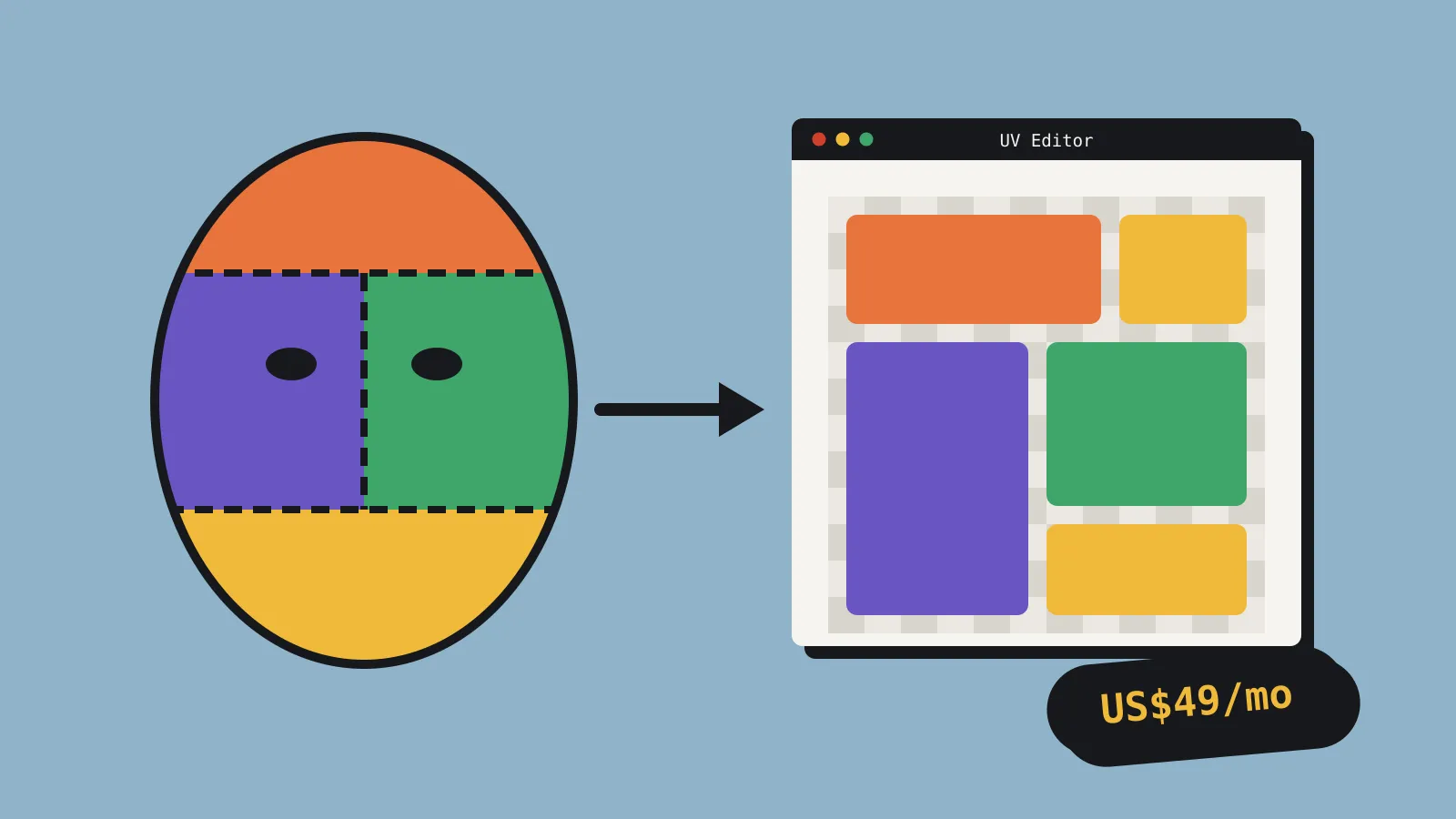
Maxon released ZBrush 2027.0 on 14 October with a built-in UV Editor. It brings automatic unwrapping, manual UV editing, packing, texel density controls, UDIMs and trim sheet support into ZBrush, so you can unwrap a sculpt without exporting it to another app first. It’s desktop only, and ZBrush is still subscription only at US$49 a month or US$399 a year.
UVs (the map that tells a texture how to wrap around a 3D model) have long been ZBrush’s weak spot for game work. The old UV Master plugin gives you an automatic unwrap with little control, so many artists send models to Blender, RizomUV or Maya to do the job properly. This release is Maxon’s attempt to keep that step inside ZBrush.
What the UV Editor does
Maxon says the editor is built on its UV technology from Cinema 4D. CG Channel reports it was first previewed at ZBrush Summit 2025. Between Maxon’s announcement, CG Channel and Maxon’s ZBrushCentral post, the editor offers:
- Three automatic unwrap methods, including Unwrap by Polygroup, which CG Channel calls “unique to ZBrush”.
- Manual editing for cutting, stitching and moving UV islands (the separate pieces of a UV map).
- Packing, which arranges islands to fill the texture with as little wasted space as possible.
- Texel density controls, so texture detail stays consistent across a model or a whole set of props.
- UDIM support, for spreading one model’s UVs over several texture tiles.
- Trim sheet workflows, which CG Channel singles out as aimed at games artists.
A 2027.0.1 update is already out. According to Maxon’s release notes, it fixes the UV Editor taking over Cinema 4D’s file association.
How it works in practice
The UV Editor opens as its own window from Tool > UV Map, according to a WindowsForum write-up that cites Maxon’s user guide. You choose which SubTools (ZBrush’s separate mesh parts) to send to it: all of them, the visible ones or the selected ones. “All” includes hidden SubTools, so check before you click. ZBrush’s main window is locked while the editor is open. When you’re done, Apply UV Edits writes the new UVs back to your SubTools, and Cancel UV Edits throws them away.
Unwrap by Polygroup is the feature that sets it apart. Polygroups are ZBrush’s colour-coded groups of faces, which many sculptors already use to split a model into parts. If yours already follow sensible seam lines, such as a sleeve, a strap or a helmet visor, the editor can cut the UVs along them for you.
That pairs well with the other big desktop addition. Selection Sets store a SubTool’s polygroups, masks, polypaint, UV sets and morph targets, and recall them later. You can keep one polygroup layout for UV seams and another for posing, and switch between them without redoing either.
The release also adds a Bake Current option for 3D Layers and a Delete option for Spotlight images. Maxon hasn’t said whether UV Master is going away.
What’s new on iPad
ZBrush for iPad 2027.0 gets Spotlight, for projection painting and sculpting from reference images, and 3D Layers, for non-destructive sculpt detail, polypaint and masks. Spotlight files save in a format the desktop app can open. The UV Editor isn’t on iPad.
What it costs
ZBrush has been subscription only since ZBrush 2024. Current prices, from CG Channel, Maxon and the App Store:
| Plan | Price (USD) | Includes |
|---|---|---|
| ZBrush, monthly | $49 a month | Desktop and full iPad app |
| ZBrush, annual | $399 a year | Desktop and full iPad app |
| ZBrush for iPad premium only | $9.99 a month or $89.99 a year | iPad only, no UV Editor |
There’s no indie tier. Maxon offers a 14-day trial through the Maxon App, and educational licences for students and teachers that can’t be used commercially. Desktop ZBrush 2027 needs Windows 10 or later, or macOS 14 or later.
What we don’t know yet
Maxon hasn’t published polygon limits for the UV Editor, or said how it handles a sculpt with several subdivision levels. That matters for game work, because UVs belong on the low-poly mesh that ships, not on a sculpt with millions of polygons. Until we know more, unwrap at your lowest subdivision level or on your retopologised mesh, then check the result in your engine before you bake any maps.
The names of the other two automatic unwrap methods haven’t been published in anything we could find, so we can’t yet say how they compare with Blender’s.
Compared with what you already use
Blender is free and has strong UV tools. It added the Minimum Stretch unwrap method, based on the SLIM algorithm, in 4.3. Blender 5.2 LTS, released in July, added UV snapping and new island selection options. Paid add-ons like Zen UV and UVPackmaster fill most remaining gaps.
RizomUV, the dedicated UV tool many studios use, released version 2027.0 on 8 October. Its indie licence costs €149.90 once, for users earning under €100,000 a year.
On iPad, Sparseal released CozyBlanket Pro on 13 October. It does AI-assisted retopology, UV unwrapping and baking. The app is free to download, but saving and exporting need a one-off US$89.99 payment.
So the UV Editor doesn’t make ZBrush cheaper than the alternatives. It makes the subscription more useful if you’re already paying for it, because each round trip to another app you skip saves time on every asset.
Should you care?
| You are | Our verdict |
|---|---|
| Already paying for ZBrush | Yes. Try it on your next prop, especially if you already polygroup your sculpts. It may save you an export. |
| Sculpting in Blender | No. Blender’s UV tools cover the same ground for free. |
| On ZBrush for iPad only | Not for this. The UV Editor is desktop only. |
| Building environments from trim sheets | Worth a trial. Trim sheet support inside your sculpting app is new for ZBrush. |
Sources
- Maxon fall 2026 release announcement
- ZBrush 2027.0 and 2027.0.1 release notes (Maxon)
- ZBrush 2027 has arrived (ZBrushCentral)
- Maxon releases ZBrush 2027.0 and ZBrush for iPad 2027.0 (CG Channel)
- ZBrush 2027 for Windows (WindowsForum)
- ZBrush for iPad (App Store)
- Maxon educational licences
- Maxon releases ZBrush 2024 (CG Channel)
- Blender 4.3 modelling release notes
- Blender 5.2 modelling release notes
- Rizom-Lab releases RizomUV 2027.0 (CG Channel)
- Sparseal releases CozyBlanket Pro (CG Channel)