Xogot Modeler brings in-editor blockouts to Godot 4.7, with a timer
Xogot's modelling tools now run inside Godot on Windows and Linux, free during beta, but each build stops working 30 days after it was made.
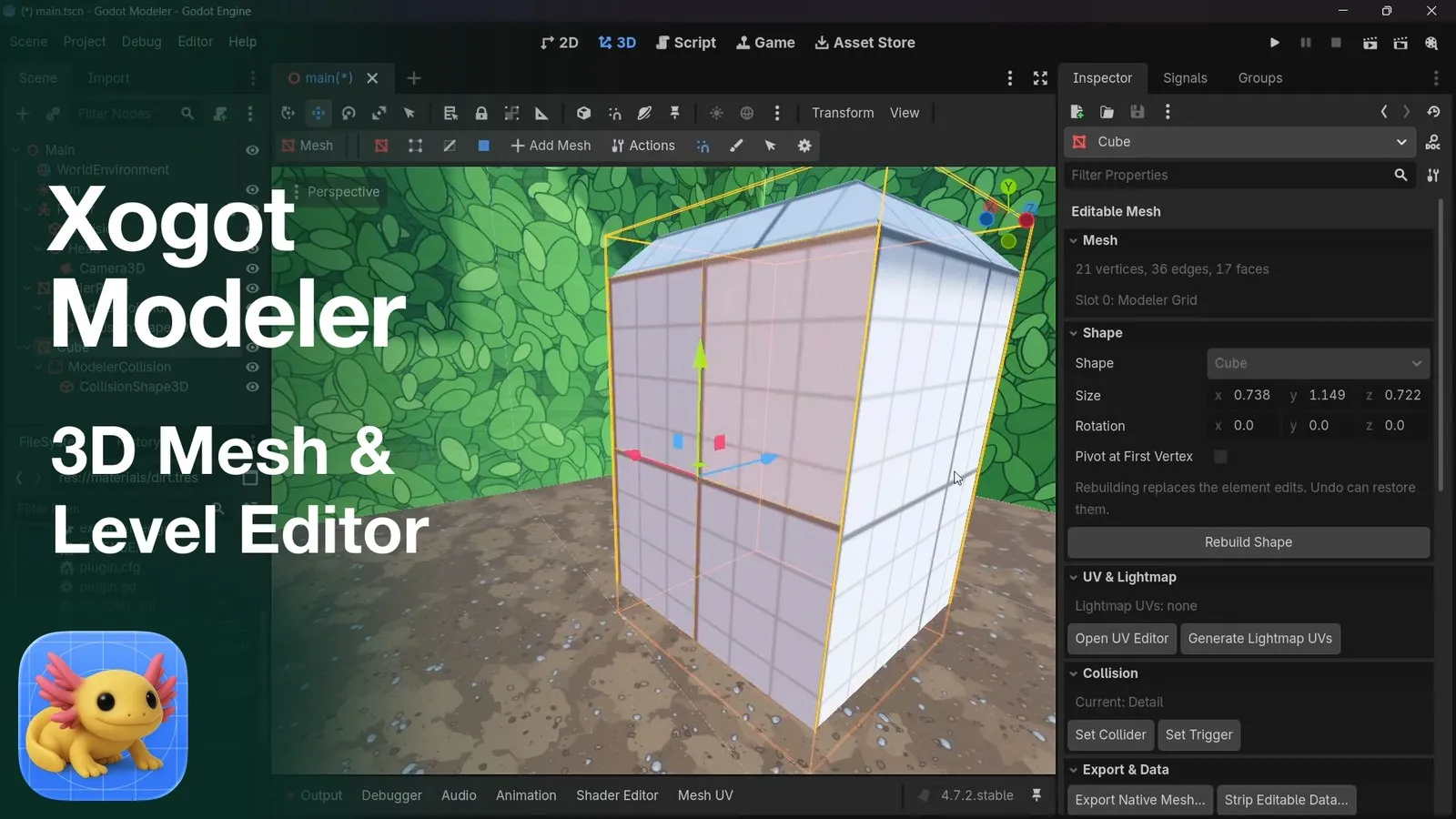
Xogot Modeler, a 3D modelling and grey-box level tool that runs inside the Godot editor, is now on the Godot Asset Store as version 0.2.0-beta.2. The listing was last updated on 12 November 2026. It needs Godot 4.7 or later and runs on Windows and Linux. It is free during the beta, including for commercial work. Each build also expires 30 days after its build date, so read the licence terms before you build a pipeline on it.
What Xogot Modeler does inside Godot
Xogot started as a Mac app for building Godot projects on macOS. Its modelling tools are now a separate add-on for Windows and Linux. The developer is Xibbon, Inc., according to the Asset Store listing.
The target job is grey-boxing. That means blocking out a level with plain, untextured shapes so you can test layout, scale and movement before anyone makes final art. Xogot Modeler also handles simple props.
Here is what the listing says you get:
- 12 adjustable primitives, including stairs, arches, doors, pipes and a torus, plus a polygon tool for custom outlines with holes.
- Bézier plane and block tools for curved walls, roads and strips.
- Vertex, edge and face editing, with extrude, inset, bevel, edge loops and bridging. Boolean operations are listed as experimental.
- Per-face materials, vertex colours, smoothing groups and a reusable colour palette.
- A UV editor with automatic and manual modes, plus UV2 generation for baked lighting.
- Mesh or convex collision that updates as you edit, and Area3D trigger volumes.
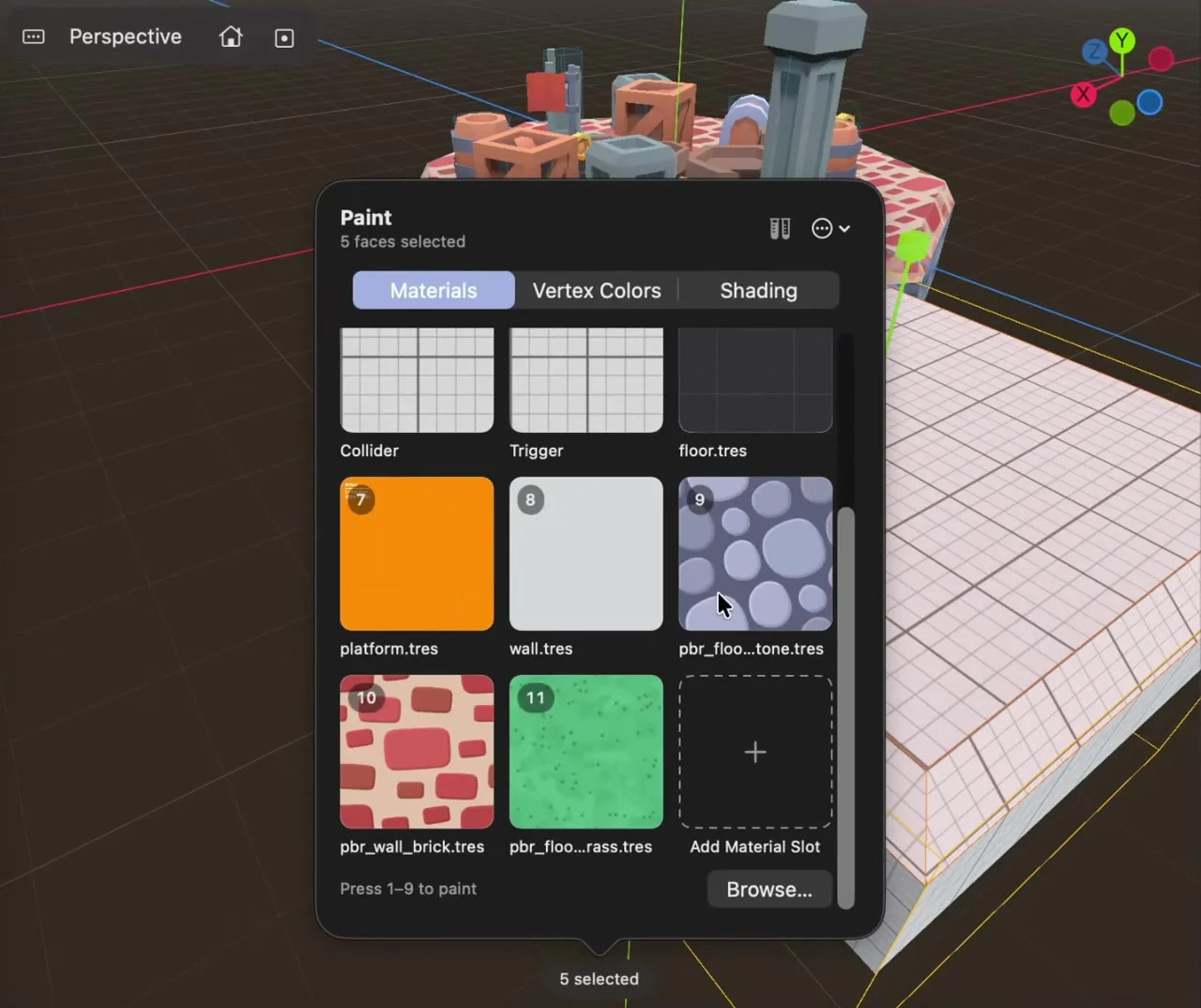
Everything it makes is a standard Godot mesh or collision node. There is no custom runtime. You can also export to OBJ, glTF/GLB, STL or PLY. GameFromScratch covered the release on 12 November and linked a demo video.
On the practical side, Windows needs version 10 or later. Linux needs glibc 2.35 or later. Both x86_64 and arm64 are supported. The combined download is about 115 MB. The add-on has no macOS build, because Mac users already get the same tools in Xogot for Mac.
How it compares with what you already have
Godot ships with CSG nodes. CSG (constructive solid geometry) builds shapes by adding and subtracting primitives. The official docs file it under prototyping levels, with sections on converting results to a MeshInstance3D and exporting to glTF. CSG is free and built in. It works best for boxy rooms and cut-outs. It has no vertex-level editing or UV editor.
Cyclops Level Builder is the closest free alternative. It is MIT licensed, and you drag out blocks with collision straight in the viewport. Its README says the 1.5.0 line targets Godot 4.7 and later. On the releases page, the newest builds are 1.5.0 development releases from August, and they warn of a possible change to data storage.
Unity users will recognise the idea from ProBuilder: model and block out inside the engine, then hand off to an artist later. Xogot Modeler aims for that role in Godot. On paper, its feature list is closer to ProBuilder than to either CSG or Cyclops.
Blender still does far more. You get sculpting, rigging, animation, modifiers and a mature UV workflow. The cost is the round trip: export, import, fix scale, check collision, repeat. For a blockout you will rebuild anyway, that loop is the slow part. Xogot Modeler removes it.
What the licence means for a solo dev or small team
The tool is free under the “Xogot Modeler Beta License” for personal, educational and commercial projects. Anything you make with it can be sold without royalties or attribution. The listing says those rights carry on after the beta ends.
Two catches matter more than the feature list.
First, the 30-day expiry. Each build stops working 30 days after the date in its BUILD.txt file. After that you need a newer beta build or a separately licensed release to keep modelling. Your existing scenes and meshes keep working without the add-on, so a shipped game is safe. Your ability to edit with the tool is not.
Second, the listing says future versions may need payment and may use different terms. There is no announced price. If the beta ends and you don’t want to pay, you keep your meshes. You lose the editing tools.
For a solo dev, the risk is fairly low if you treat the output as plain meshes. Because it exports standard formats, you can always open the geometry in Blender later. Things get riskier for a team. If several people rely on it mid-production, an expired build or a sudden price can stall level work for a week.
Version support is the other thing to check. The listing states a Godot 4.7 minimum, but its compatibility list also ticks much older versions, back to 3.0. Treat 4.7 as the real floor until Xogot says otherwise.
What to do now
If you’re on Godot 4.7 and doing 3D, this is worth an afternoon. Here’s how we’d approach it:
- Install it in a throwaway branch or a copy of your project. Close Godot before you replace the add-on files, as the listing advises.
- Check your build’s expiry date in the Project menu, under Tools, in Xogot Modeler’s About and Beta Updates screen. Put that date in your calendar.
- Block out a single room or encounter space with it. Then rebuild the same space in CSG or Cyclops and compare the time each one took.
- Export one test prop to glTF and open it in Blender. Confirm the UVs and normals survive, so you know your exit route works.
- Keep generated meshes in version control as regular resources. Don’t rely on the add-on being present to load them.
Hold off on a pipeline commitment until Xogot publishes pricing and a non-expiring licence. If you’re on Godot 4.6 or earlier, CSG remains your built-in option and older Cyclops releases support Godot 4.2 and later. If you need sculpting, rigging or proper retopology, keep Blender. Nothing here replaces it for final art.
We’ll update this piece when Xogot announces pricing or the beta end date.