Godot does more of your 2D work for you. Defold ships smaller
With Defold 1.14.1 out and Godot 4.8 nearing a release candidate, we compared what each engine makes you build by hand in a 2D game.
Both of the free engines most worth a look for a small 2D game moved this month. Defold 1.14.1 landed on 10 November with vector fonts. Godot 4.8 beta 4 followed on 18 November, and its team says a release candidate is close, so 4.7.2 is still the version to start on today. We went through both engines’ docs with one question in mind: what does each one leave you to build yourself? Godot hands you more finished 2D parts. Defold hands you a smaller, stricter engine that pays off on the web.
The basic game objects
In Godot you attach a script to a node and save trees of nodes as scenes. A player scene drops into a level scene. When the player needs the HUD, you grab it with get_node() or the $ shorthand. Events travel as signals, so a Timer fires timeout and you hook that to a function. Spawning an enemy means preloading its scene and calling instantiate(). It reads like ordinary object code. Godot’s own signals lesson flags the usual catch: rename a child node and every path that pointed at the old name breaks.
Defold won’t let scripts call each other at all. Each game object carries components, such as a sprite, a collision object, a label, a factory or a script. Scripts send messages with msg.post() to addresses like enemy#controller and handle them in on_message(). You spawn with factory.create(), or collectionfactory.create() for a whole group, which returns a table of renamed ids such as /collection0/bean.
Expect to spend your first day on addressing. The message-passing manual is upfront about the traps. Messages arrive later in the frame, not straight away. A typo in a message name fails without an error. Each payload is capped at 2 KB. Once it clicks, your objects stay loosely coupled, which helps as a project grows.
Writing and testing code
GDScript is Godot’s own language, and typing it is worth the habit. The docs say static types catch more errors before you press play, improve autocompletion and run faster. C# is available through a separate .NET build, but a Godot 4 C# project still can’t export to the web. Godot 4.8 also moves C# to .NET 10, as we covered in our Godot 4.8 beta 1 piece.
Defold scripts are Lua. Most platforms run LuaJIT, but HTML5 builds use plain Lua 5.1.4, so test the web build rather than assume it matches. Every script uses the same hooks: init, update, fixed_update, on_message, on_input and final. The editor ships a Lua language server with completion and Luacheck linting. If you miss types, there’s an official Teal extension, though the manual still calls it a preview.
Debugging is solid in both. Godot has breakpoints in its script editor and an official VS Code plugin that connects over LSP (port 6005) and DAP (port 6006). Defold’s debugger handles conditional breakpoints and stepping, and VS Code can attach to it over DAP. The community Defold Kit extension adds build and deploy commands.
Hot reload works in both too. Godot’s Synchronize Script Changes and Synchronize Scene Changes options push edits into a running game, even one on a phone. In Defold, File > Hot Reload swaps in new scripts, GUI, particles and shaders, and calls on_reload() if you’ve written one. For mobile testing, Defold’s development app streams content to the phone over Wi-Fi. Godot’s one-click deploy builds a debug export and runs it on a connected Android or iOS device.
Where Godot saves you work
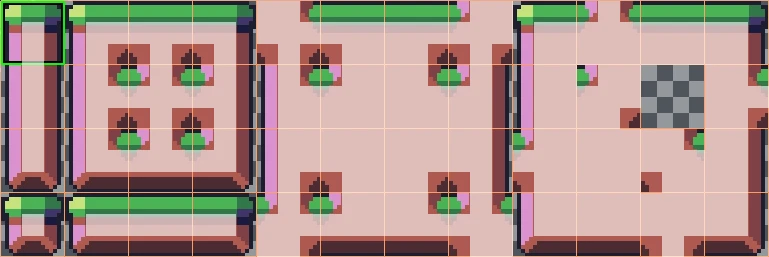
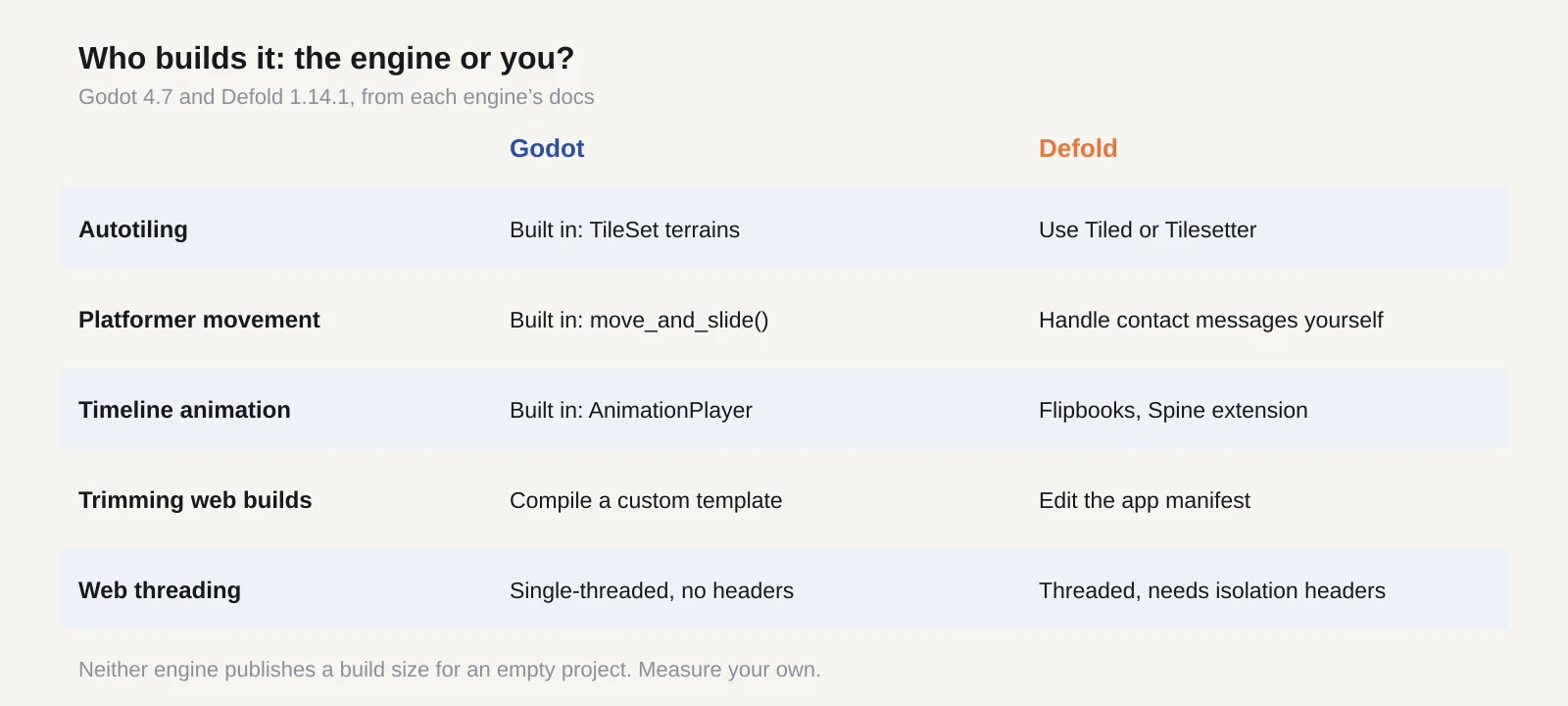
Tilemaps are the clearest gap. Godot’s TileMapLayer and TileSet editor do terrain autotiling, and each tile can carry its own collision and occlusion shapes. Defold paints tiles from a tile source and reads collision from it, but for autotiling its docs send you to Tiled or Tilesetter.
Character movement is the next. In Godot, a CharacterBody2D calling move_and_slide() handles sliding along walls and floors. Defold runs Box2D, and its manual says a kinematic platformer character needs you to handle contact_point_response messages and push the body out of overlaps yourself. You only write that code once, but you do have to write it.
Animation follows the same pattern. Godot has AnimatedSprite2D for frame-by-frame sprites and an AnimationPlayer timeline for everything else, from moving hitboxes to sliding a menu on screen. Defold plays sprite animations as atlas flipbooks with a frame rate and playback mode. For skeletal animation it has an official Spine extension.
Menus work differently as well. Godot builds UI from Control nodes styled by themes that cascade down the tree. Defold keeps UI in separate GUI scenes with their own gui scripts, drawn over the game world, with layouts, templates and fit, zoom or stretch modes for different screens. If you make pixel art, Godot’s Stretch Scale Mode can lock scaling to whole numbers.
Where Defold earns its keep
Web portals are Defold’s home turf. Its size manual cites Poki’s advice that a game’s first download be 5 MB or less, and the engine is built around that. An app manifest strips out parts you don’t use, such as physics. HTML5 bundles can carry a threaded engine with a non-threaded fallback, though the threaded version needs cross-origin isolation headers from the host. Defold 1.14.1 also switched off WebGL 1 by default when it added vector fonts.
Godot web builds need WebGL 2 and have been single-threaded by default since 4.3, so they run on itch.io and Poki without special server headers. Cutting their size means compiling your own export template with features turned off. That’s more work than editing a manifest. Neither engine publishes a figure for an empty project, so measure your own.
Which one we’d pick
For a platformer or a tile-heavy game aimed at desktop, Godot gets you to something playable sooner. Autotiling, ready-made character movement and a timeline animator come in the box, and it has far more tutorials. For web portals, playable ads or low-end phones, Defold’s small builds and strict structure are worth the extra setup. Its free console access for approved developers is a bonus, with Xbox added in 1.14.0.
The licences won’t decide it. Godot is MIT, and Defold’s Apache-based licence charges no royalties. Our engine table has the detail for Defold and Godot.
If you’re still unsure, build the same tiny platformer in both, with a player, one enemy, a coin, a pause menu and a score. Tweak the jump height with the game running and count how often hot reload saves you a restart. Then upload both HTML5 builds to an itch.io draft page and time how long each takes to show its first frame on a mid-range phone.