Koshizu Trees 1.0 brings Japanese garden trees to Blender
A new US$39 Geometry Nodes add-on grows five Japanese species and lets you use the results in commercial games, but it leaves the game-ready work to you.
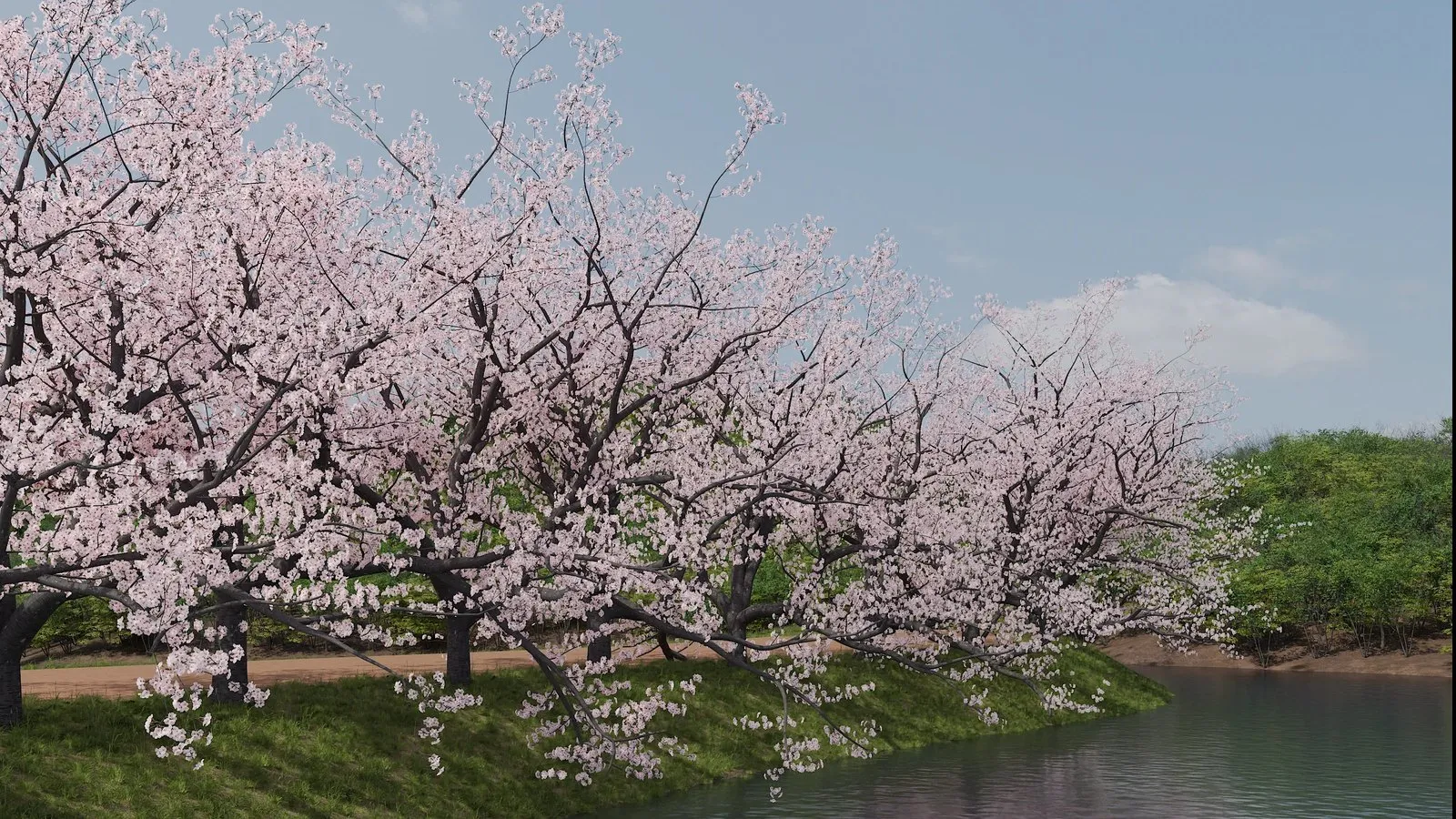
Koshizu Space released Koshizu Trees 1.0, a procedural tree add-on for Blender, and BlenderNation covered it on 9 November 2026. It costs US$39, or US$32 until 14 November. It ships seven presets across five Japanese species, all built in Geometry Nodes. The licence allows trees in commercial games. What it doesn’t give you, at least on paper, is any game-specific tooling.
What Koshizu Trees does
The add-on lives in a Koshizu Trees tab in the 3D viewport sidebar. You pick a species from a thumbnail browser, then drag a gizmo at the tree’s tip to set height and lean. From there, sliders control the trunk, branches, crown and leaves, according to the Superhive listing. A seed value and a Randomize button give you variants of the same species. A Scatter tool spreads trees across a surface so you can edit a whole garden at once.
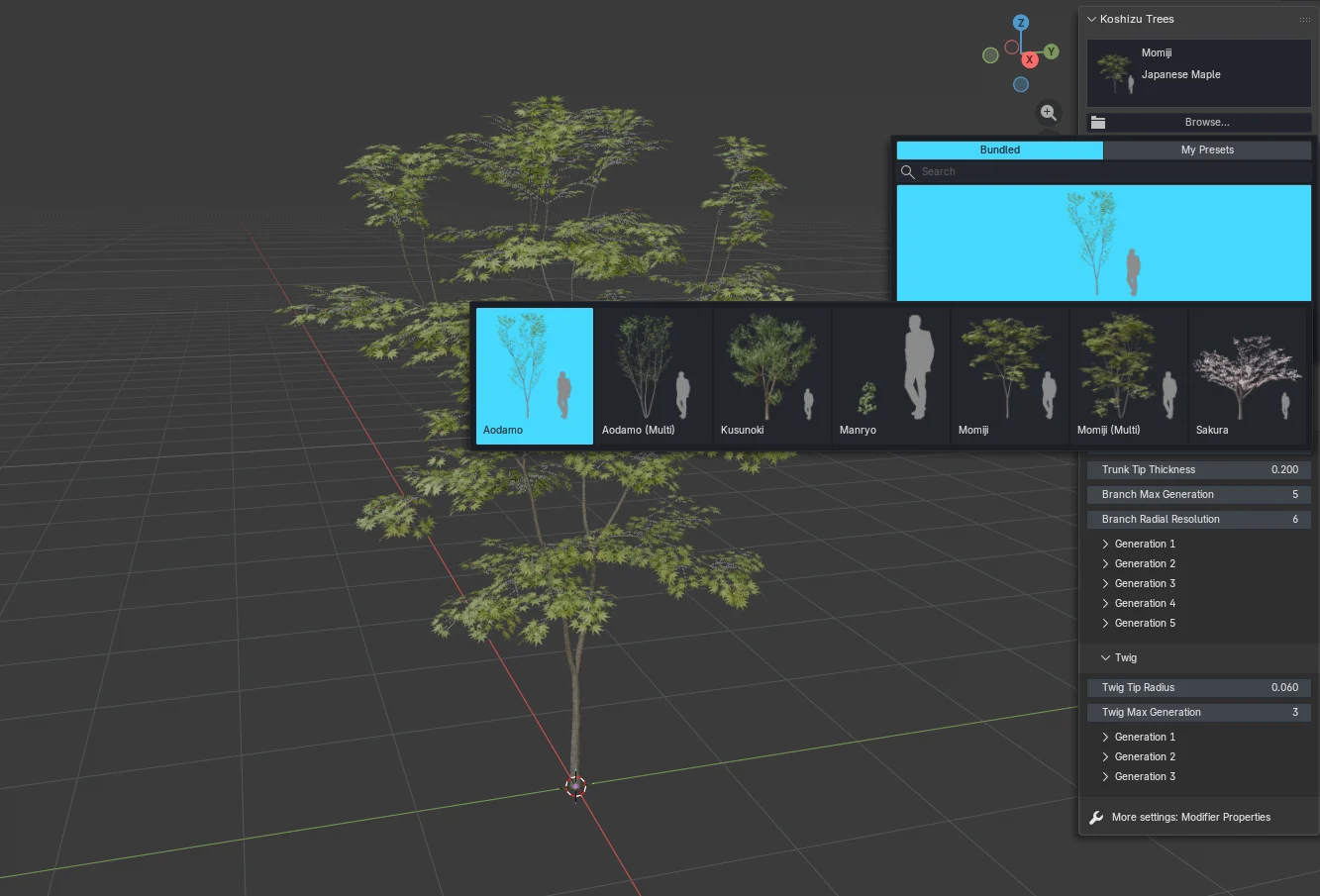
The five species are Kusunoki (camphor), Momiji (Japanese maple), Aodamo (Japanese ash), Manryo (Ardisia crenata) and Sakura (cherry, in bloom). Maple and ash each come in single and multi-stemmed forms, which is how you get seven presets. The product page says the shapes follow how these trees are grown, pruned and aged in Japanese gardens. Five more species are planned as a free update in early 2027, and all v1.x updates are free.
The renders on the product page include a sukiya-style house, stones, a lantern and moss. None of that is in the box. You get the add-on, the node setup, materials and the seven presets.
On compatibility, the sources differ slightly. BlenderNation says it works with Blender 4.5 and was tested on 5.0. The Superhive listing says Blender 4.5 or later, tested on 4.5 and 5.1. Both list Cycles and EEVEE.
Is it a game tool or a render tool?
Mostly a render tool that can feed a game pipeline. The product page says output is standard Blender geometry that you can export into engine pipelines. It names no formats. The documentation adds one useful detail. An “Apply as Static” button converts a tree into a regular mesh, after which you can edit it by hand or export it. Once applied, the add-on can no longer adjust that tree, though undo still works.
That button matters for game devs. Geometry Nodes trees are live node setups, and most engine exporters want plain meshes. Apply as Static is the step that turns a procedural tree into something Blender’s FBX or glTF exporter can handle. We haven’t tested what comes out.
Here’s what the store pages and docs do and don’t tell you:
- UVs and textures: the Superhive details table lists the assets as UV-unwrapped, textured and normal-mapped. It doesn’t say whether leaves share a texture atlas (one image holding many textures).
- Leaves: the docs describe a leaf Interval setting, where lower values mean denser foliage. They don’t say whether leaves are flat cards, instances or full geometry.
- Polycount: not stated. The docs list the settings that add geometry, such as twig generations, density and branch resolution.
- LODs, wind and vertex colours: not mentioned anywhere we could find. LODs are simpler versions of a model for distant views. Engines often read wind sway from vertex colours.
- Mesh joins: the Superhive listing flags a known issue. Branches are separate curves, so they meet at forks rather than forming one continuous mesh. Joins can show at wide angles and in close-ups.
The docs also warn that many scattered trees, especially Sakura, can slow the viewport. That’s a hint these trees aren’t light. Plan to thin them out before export.
What the licence lets you do
The licence is the clearest part of the offer, and it’s good news. The Superhive FAQ says you can use the trees in personal and commercial work, including games, with no royalties. Trees made with Apply as Static can ship in finished work.
The limits are sensible for an asset tool. You can’t resell or share the add-on, its assets, editable tree files, or trees as standalone models or asset packs. That includes static meshes. So a tree inside your game is fine. Selling a “Japanese garden pack” on an asset store is not.
The Python code is GPL v3.0 or later. The bundled assets, including leaf, flower and bark data, fall under a separate royalty-free Koshizu Space Asset License. One licence covers one person, so a three-person art team needs three.
What it means for a solo dev or small team
If your game is set in Japan, or you want a garden that reads as Japanese, this is a cheap way to get species most tree packs skip. At US$32 for seven presets, it works out to under US$5 a preset. The commercial licence covers the obvious use case.
The catch is the work after the tree looks right. You’ll need to apply it, check the triangle count and likely decimate or rebuild the leaves. Then you make your own LODs and set up wind in your engine. That’s a few hours per species if you’ve done it before, and longer if you haven’t.
There are free alternatives with more game features. Sapling Tree Gen is free and GPL on Blender Extensions. Its 1.0.0 release, dated 4 November 2026, lists leaves, an armature and wind, with a rig that exports as a skinned mesh. It doesn’t offer Japanese garden forms. At the high end, Unity’s SpeedTree Indie tier is for businesses under US$100,000 revenue. Unity says it shares Pro’s export options, though its wind library isn’t part of Indie.
What to do now
If the species fit your game, the launch price ends on 14 November. Before you buy, or straight after, run these checks:
- Grow one tree per species at your target size and apply it as static.
- Read the triangle count in Blender’s statistics overlay. Compare it with your foliage budget.
- Look at how leaves are built. If they’re dense geometry, you’ll need to swap them for cards.
- Export to FBX or glTF and import into your engine. Check materials, normals and the branch joins in close-ups.
- Count how many leaf and bark textures come through, and whether you’ll need to atlas them.
If you need wind and rigging out of the box, try Sapling first because it costs nothing. If your target engine is Unity and you need a full tree pipeline, price up SpeedTree. If a single US$32 purchase gets you a maple and a cherry that look right, Koshizu Trees is worth an afternoon of testing.
Sources
- Koshizu Trees product page (Koshizu Space)
- Koshizu Trees on Superhive, with FAQ and documentation (Superhive)
- Koshizu Trees FAQ (Superhive)
- Koshizu Trees documentation (Superhive)
- Koshizu Trees: procedural Japanese garden trees for Blender (BlenderNation)
- Sapling Tree Gen (Blender Extensions)
- SpeedTree Indie, Pro, Library and Enterprise (Unity Support)