Mesh2Motion adds props and weight painting to its free rigging tool
Update 14 lets you attach swords, guns and poles, clean up skin weights by hand and remix animations, all in a free, MIT-licensed browser tool.
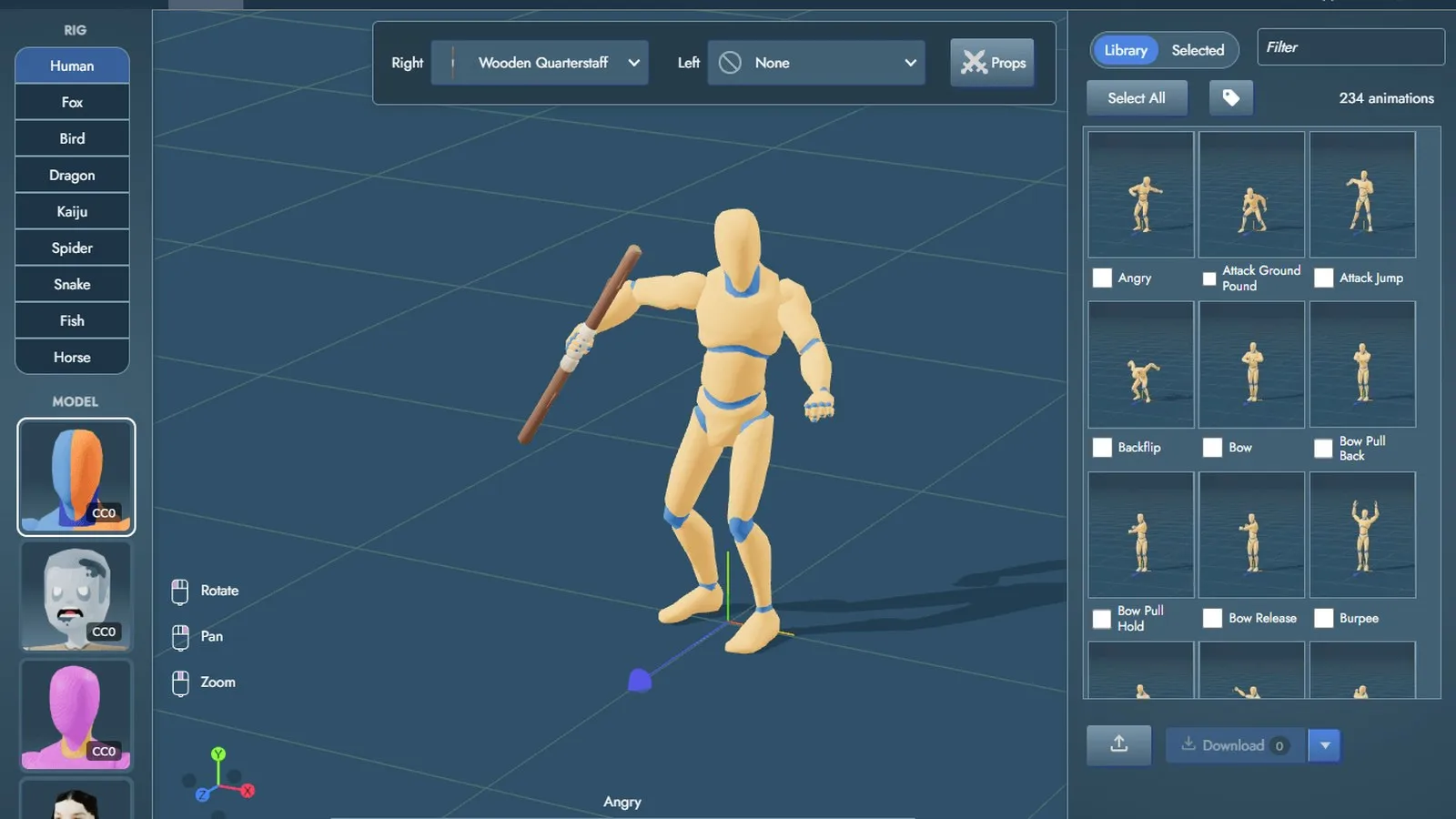
Mesh2Motion Update 14 landed on 19 November 2026, and it adds three things solo devs have been asking for: props that export with your character, manual weight painting and animation remixing. The free, open-source auto-rigger (it fits a skeleton to your model and applies ready-made animations) also gains more than 50 new animations across its rigs. GameFromScratch covered the release on 21 November.
What Update 14 adds
Mesh2Motion runs in your browser, and since Update 12 in August there is also an offline desktop build for Windows, Mac and Linux. You load a model, pick a skeleton type, let the tool fit it, then choose animations from its library. The release notes on mesh2motion.org list these changes for Update 14:
- Props. A picker with previews offers poles, knives, swords, guns and a shovel. The prop exports with your character, so it arrives in your engine already attached. Most props come from asset makers Kay Lousberg and Quaternius.
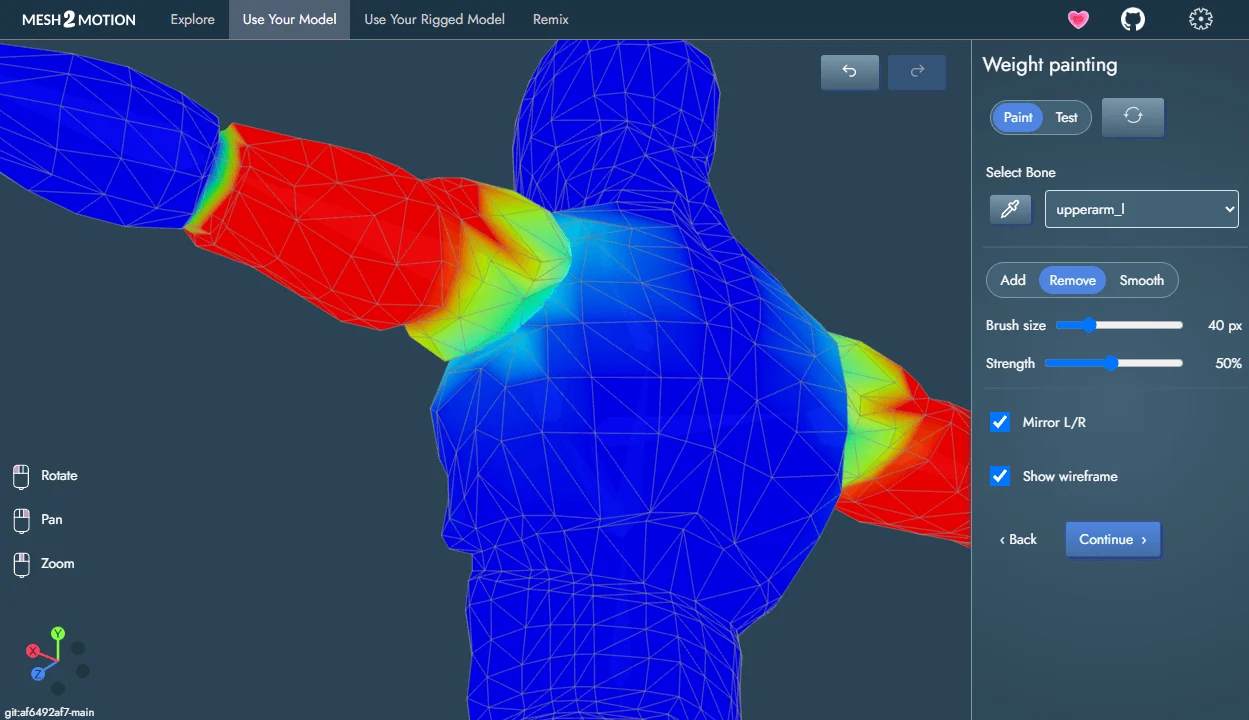
- Manual weight painting cleanup. Weights decide how much each bone moves each part of the mesh. You can now add, remove or smooth them to fix spots where the automatic pass got it wrong. You switch it on with a checkbox on the “Use Your Model” page.
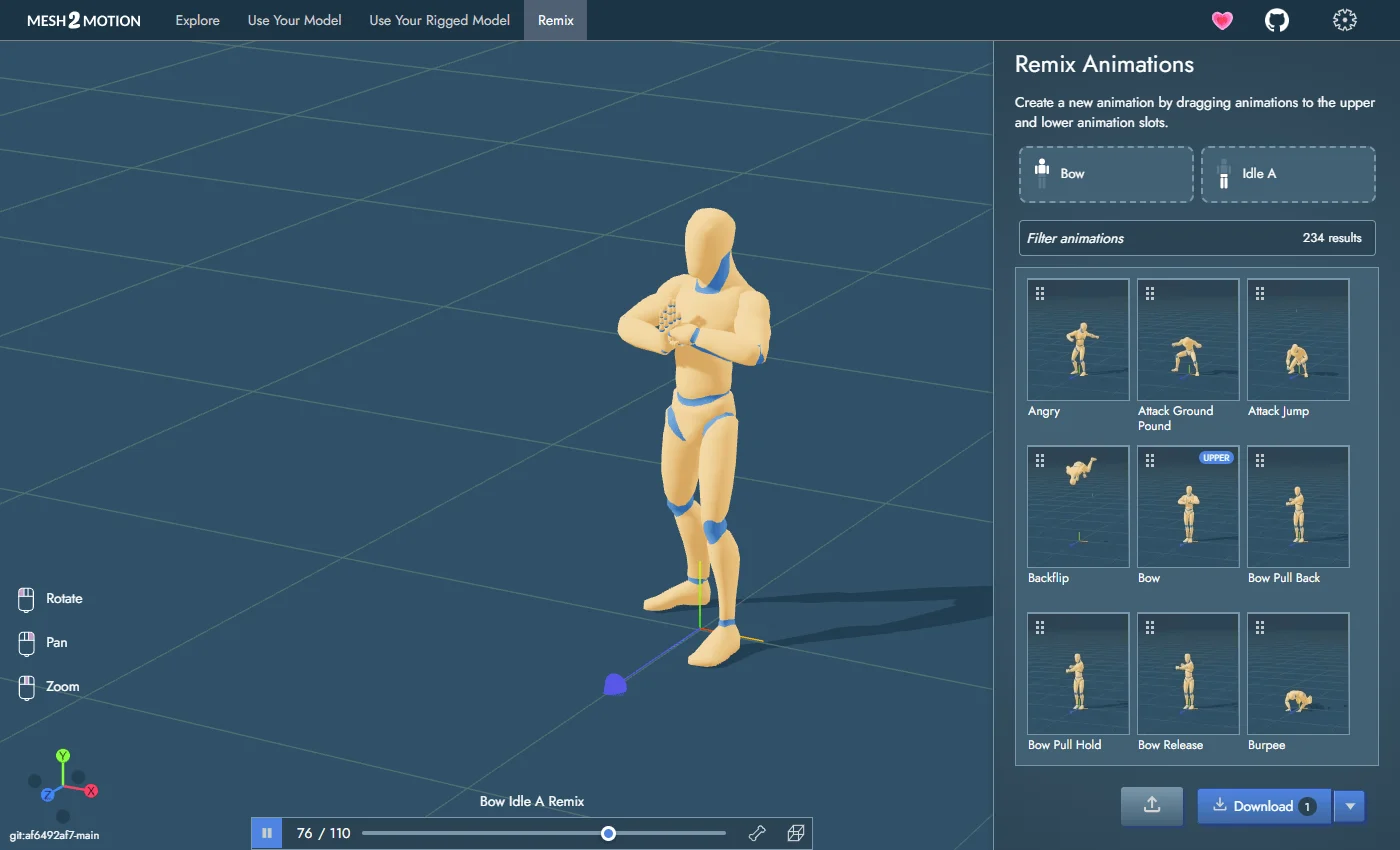
- Animation remixing. You can combine existing clips into variations, such as a walk while holding a rifle or sword. If a search comes up empty, you can request an animation.
- Other changes. There is a model variations sidebar, a tagging system for the animation library and direct import of Mixamo-compatible animations. Fixes cover Unity facing the wrong way on export and skeletons with branching bones. Brotli compression and Meshopt mesh optimisation should make the site load faster.
The developer flags one clear limit. Remixing currently creates and exports only one animation at a time.
Licence and export formats
The Mesh2Motion GitHub repository puts the app’s code under the MIT licence. That means you can fork it, change it and ship it inside other tools. The README says the bundled 3D models, rigs and animations are CC0, which is public domain in practice: use them commercially with no credit required. The repo has about 3,600 stars and 370 forks at the time of writing.
On formats, the README still says import and export are GLB/GLTF only. The changelog has moved on. Update 13 in September added FBX 7.4 export presets for Unity and Unreal Engine, mainly to sort out world-space orientation. In practice, you get GLB for Godot, Blender and web engines and FBX for Unity and Unreal. Update 9 in March added import of custom animations from GLB files, and Update 14 adds Mixamo-compatible animation import.
The props need one extra check. Update 14 credits Kay Lousberg and Quaternius but doesn’t restate the licence for those meshes. Both creators are known for free CC0 packs, so this is probably fine. Still, confirm the terms on each creator’s site before you ship a game that uses them.
Can you rig a sword-wielding hero without Blender?
For a lot of indie projects, yes. Take a low-poly knight that needs idle, walk, run and attack clips while holding a sword. Before this update, you would rig in Mesh2Motion, export, open Blender, parent the sword to the hand bone and re-export. Now the sword can come from the prop picker and travel with the export. Remixing gives you a sword-carrying walk without keyframing anything.
Weight painting is the bigger change for anyone with a custom mesh. Auto-rigging tends to fail in the same places: armpits, shoulders, skirts and long hair. A small fix in those areas used to mean a Blender round trip. A browser brush that adds, removes and smooths weights covers the common cases.
Some jobs still need Blender, or another full 3D package:
- Your own props. The picker offers a fixed set. A torch, a staff you modelled or a custom shield still needs parenting in Blender or a socket in your engine. The changelog doesn’t mention prop upload.
- Bespoke animation. The library is large but finite. Signature moves, cutscene acting and fixes to a single frame of a clip still need a keyframe editor.
- Batch work. With one remixed animation per export, building a full move set of variations means several passes.
- Retopology and trailers. Mesh2Motion doesn’t fix messy topology or film anything. Our look at AI-assisted retopology on desktop and our round-up of Blender add-ons for trailer camera work cover those steps.
A torch is a good test case. It’s a simple prop, but it isn’t in the Update 14 list. You could stand in a pole and swap the mesh in your engine, or attach the torch to a hand socket in Unity, Unreal or Godot. Most engines make that a few minutes’ work.
How it compares with ActionForge
ActionForge is another free, browser-based Mixamo alternative. When we read ActionForge’s small print, the app’s code was all rights reserved and the site had no terms of service or privacy policy. Its Quaternius animations and props are CC0, and it exports GLB or FBX with presets for Unreal, Mixamo and Reallusion skeletons. It is also labelled beta.
Mesh2Motion’s main advantage is certainty. The code is MIT, the bundled content is CC0 per the README, and an offline build means you aren’t relying on a website staying up. ActionForge has more export presets for specific skeletons, which matters if you already use a UE5 or Reallusion rig. If you just need a character moving in your engine this week, Mesh2Motion is the easier one to commit to.
What to do now
- Test with a throwaway model first. Export a GLB and an FBX of the same rig and load both in your engine. Check scale, facing and root motion before you build anything on top.
- Turn on weight painting for custom meshes. Run the auto-rig, play a wide-arm animation, then paint out any stretching at the shoulders and hips before export.
- Check prop licences. If you ship with a picker prop, confirm the terms on Kay Lousberg’s or Quaternius’s site and keep a note in your credits file anyway.
- Plan exports one at a time. Because remixing exports a single animation per pass, list the variations you need before you start.
- Keep Blender for the gaps. Custom props, bespoke motion and topology fixes still belong there. Everything else can stay in a free browser tab.