NKZ Retopia lets you sketch edge flow and get clean quads in Blender
A US$29.99 Blender add-on turns strokes drawn on a sculpt into evenly spaced quads. Here's how it stacks up against free tools and CozyBlanket Pro.
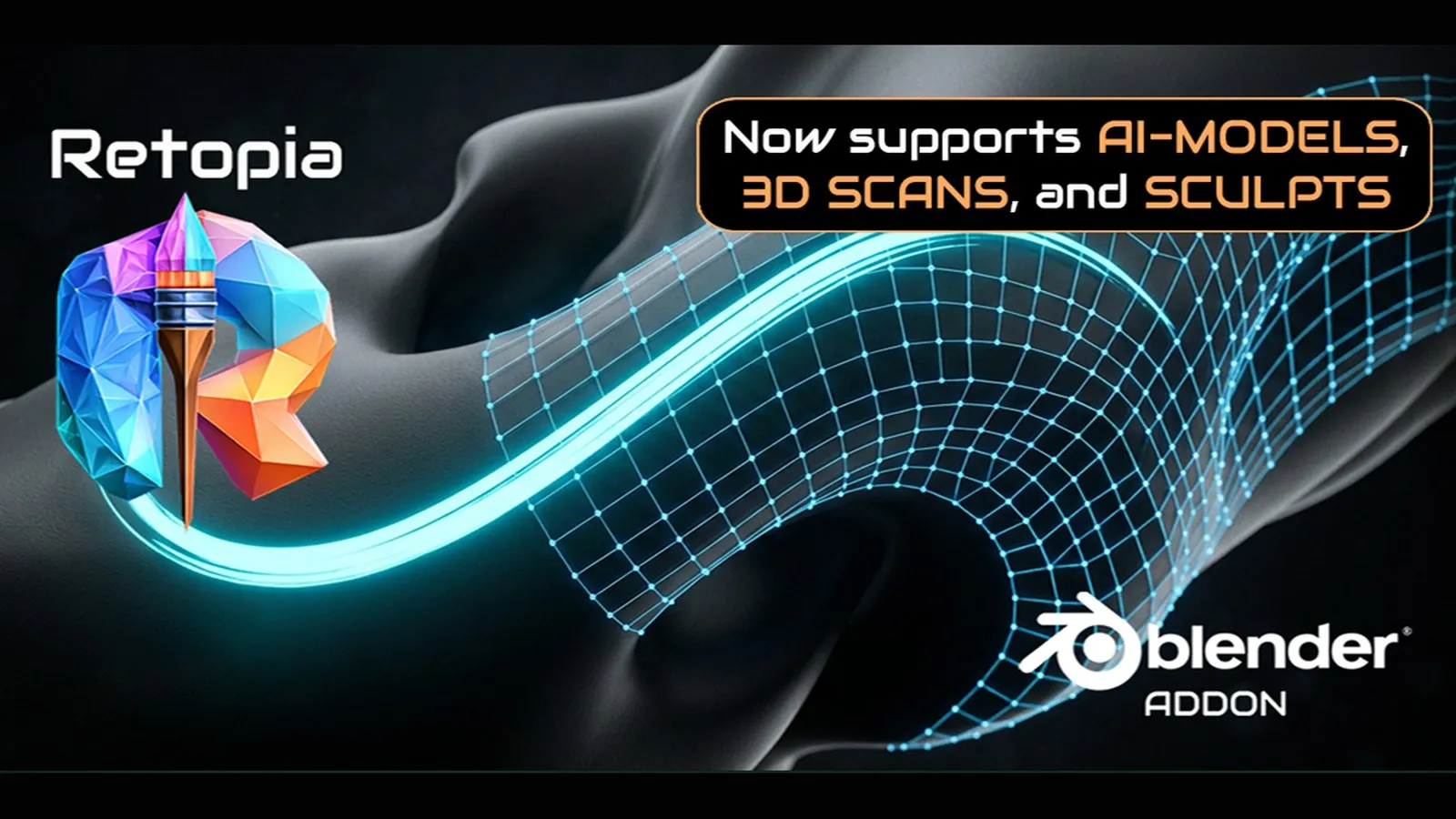
NKZ Retopia is a paid Blender retopology add-on from Italian character and technical artist Eduardo Bartali (who sells as netkingZ). You draw the edge flow on your sculpt and it fills the shape with ordered, evenly spaced quads. The Superhive listing gives a list price of US$29.99, and it showed US$19.79 when we checked on 23 November 2026. It supports Blender 4.5 to 5.2, is licensed GPL-3.0-or-later, and its changelog runs to version 1.4.18. BlenderNation covered it on 22 November, which is why it’s on your feed this week.
What Retopia actually does
Retopology means building a clean, low-poly mesh over a dense sculpt or scan, so it can be rigged, UV-unwrapped and run in a game engine. Retopia does this in a separate mesh. Your sculpt stays read-only, according to the product FAQ.
The workflow is short. You select the sculpt, press Start Retopia, then open a pie menu of 15 tools with the D key. The main ones, per the documentation, are:
- Draw: sketch the sides of a region and it fills them with a quad grid you can tweak before applying. Ctrl or Shift plus the mouse wheel changes the segment counts.
- Strip and Strokes: lay a band of square quads along a line.
- Contours and Spine: drag across a limb for a ring, or draw one line down an arm or tail and get every ring of the tube.
- Circular Cap: close off fingertips, horns and claws.
- Relax: even out vertex spacing. Version 1.4.0 rebuilt it for noisy surfaces such as hair and cloth folds, Digital Production reported.
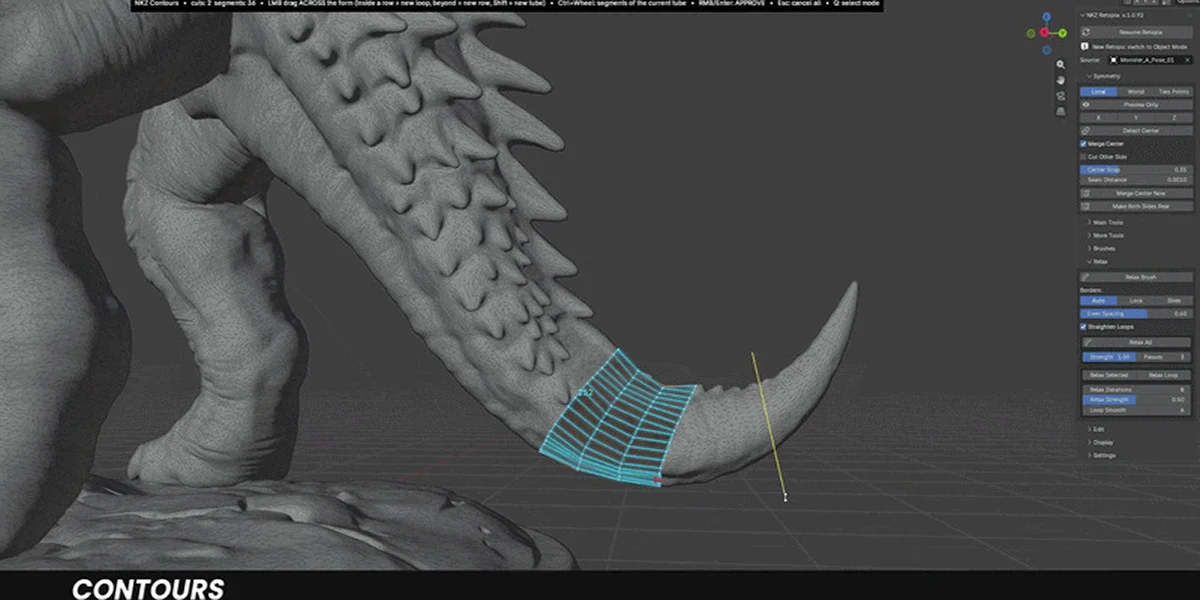
Around those sit helpers: Smart Symmetry, which finds the sculpt’s real centre, a colour-coded quality map that flags poles, triangles and n-gons, and a target face count with a progress bar. There are also four fill patterns (Grid, 3 Poles, 5 Poles, Fan) and a live subdivision preview at one to three levels. Everything runs offline, with no account and no extra libraries, and the output is a plain Blender mesh.
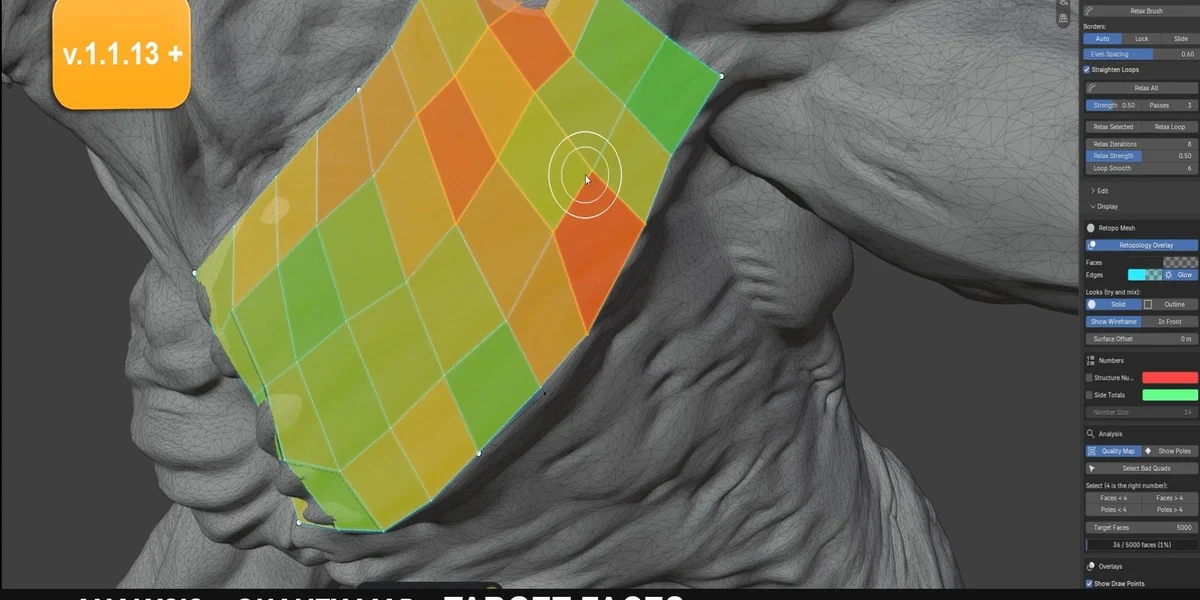
The FAQ is clear on one point: this is not an automatic remesher. You still decide where every loop goes. Retopia just makes placing them much faster.
How it compares with what you already have
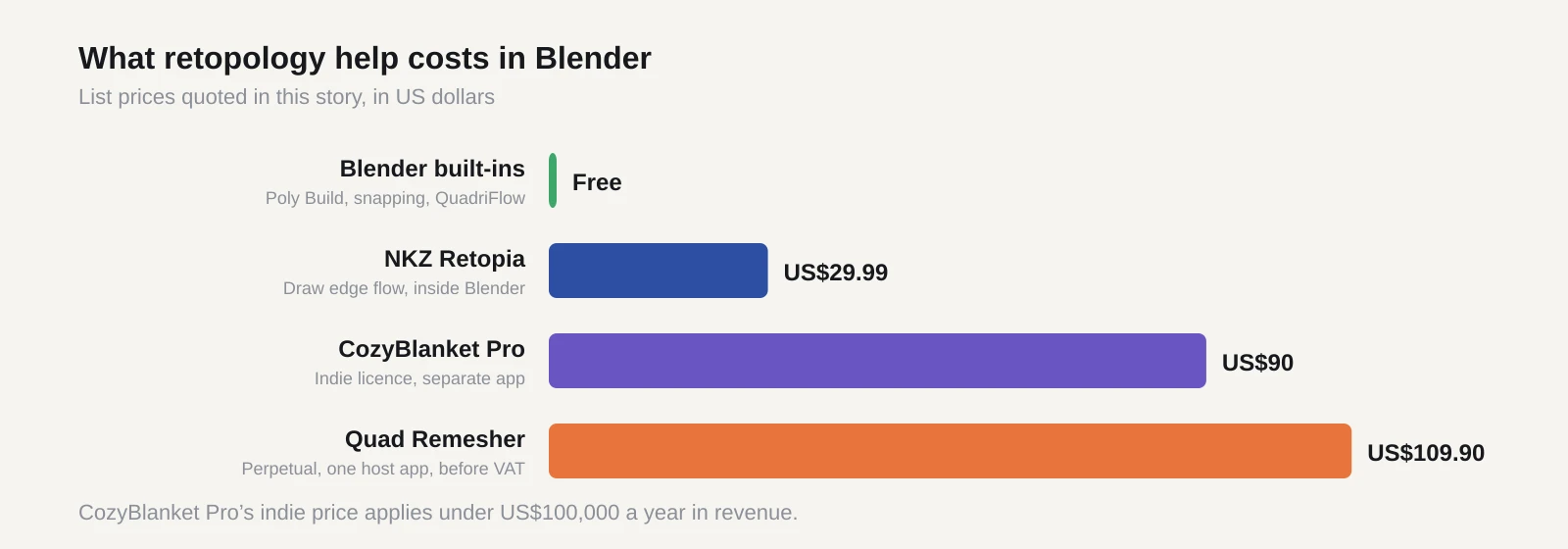
Blender already ships retopo tools. Snapping to the surface plus a Shrinkwrap modifier lets you build quads by hand, and the Poly Build tool adds faces one click at a time. That costs nothing but takes hours on a full character. Blender’s built-in QuadriFlow remesher is the opposite: one button, zero control over where the loops land. On a character that needs to bend at the elbow, that usually means cleanup.
Quad Remesher, from Exoside, is the paid auto option most Blender users reach for. A perpetual commercial licence for one host app costs US$109.90 before VAT. It gives good results on props and hard shapes, and you steer it with guide curves and density painting rather than drawing loops.
CozyBlanket Pro on desktop sits closest to Retopia in spirit. You sketch guides and local AI models fill in the patches. Per CG Channel, the perpetual indie licence is US$90 if you earn under US$100,000 a year. It’s a separate app on Windows and macOS, so you export your sculpt and bring the result back as OBJ or glTF. Retopia stays inside Blender and costs about a third as much.
What it means for a solo dev
For game-ready characters, Retopia attacks the slowest part of manual retopo: placing quads one by one. Limbs, fingers and tails are where Spine and Contours should save the most time, because tubes are repetitive work. Faces are where the fill patterns and quality map matter, since deformation around the eyes and mouth depends on pole placement. You still need to know where those loops belong. If you don’t, an auto tool may serve you better.
For props, the value is less obvious. A crate, a lantern or a rock often comes out fine from QuadriFlow or Quad Remesher plus ten minutes of cleanup. Retopia earns its price on organic shapes that deform, or on hero props where you want control over the silhouette.
Two cautions. The listing has only 10+ sales and four ratings, so there’s little independent feedback yet. Digital Production also pointed out that only Blender 5.2 is stated as tested, even though the range starts at 4.5. If you’re pinned to 4.5 for a production, test it there first.
If you’ve been generating base meshes with AI, our look at Tripo P2.0’s quad output covers the licence questions. Retopia can sit after that step when the generated topology isn’t good enough to rig.
What to do now: a one-hour test before you buy
Superhive doesn’t list a trial, so plan a test you can judge quickly once you own it, or watch closely in the developer’s demos first. Use one of your own sculpts, not a demo file.
- Pick one real asset. A character arm from shoulder to fingertips is ideal, because it has a tube, a joint and small caps. Note how long manual retopo of that arm took you last time.
- Set a budget. Enter your target face count, for example 2,000 faces for the arm of a 15,000-triangle character. Watch the progress bar as you go.
- Time it. Use Spine for the upper and lower arm, Contours at the elbow, and Circular Cap on the fingertips. Stop the clock when the quality map shows no stray triangles or n-gons.
- Check the deformation. Add an Armature, bend the elbow to 90 degrees and look for pinching. That tells you whether the loops you drew are good, which no tool can do for you.
- Run it through your pipeline. Export as FBX into your engine, check the normals and triangle count. Then unwrap it, for example with a free browser UV unwrapper, and see if the even quads give you cleaner UV islands.
- Compare. Run the same arm through QuadriFlow at the same face count and bend it. If the Retopia version took half your old manual time and bends cleanly, the US$29.99 pays for itself on your first character.
If you buy, check whether you are paying the list price or a discount. The listing showed a sale price, and 80.lv ran a 20% code in October. Also add Superhive as an extension repository in Blender, so updates arrive inside the app rather than by manual download.
Sources
- NKZ Retopia, Superhive product page, source of the cover and screenshots
- NKZ Retopia documentation, Superhive
- NKZ Retopia FAQ, Superhive
- netkingZ on Gumroad
- NKZ Retopia: draw your topology, BlenderNation
- NKZ Retopia 1.4.0, Digital Production
- Retopia discount, 80.lv
- CozyBlanket Pro release, CG Channel
- Quad Remesher licence types and pricing, Exoside
- Poly Build, Blender Manual
- Remeshing, Blender Manual