Free sculpting app SculptForge reaches 0.14 with a Blender bridge
The GPL sculpting app in this week's headlines is already 50 releases past 0.9.3. Its two-way Blender add-on is worth a test, but pin your version first.
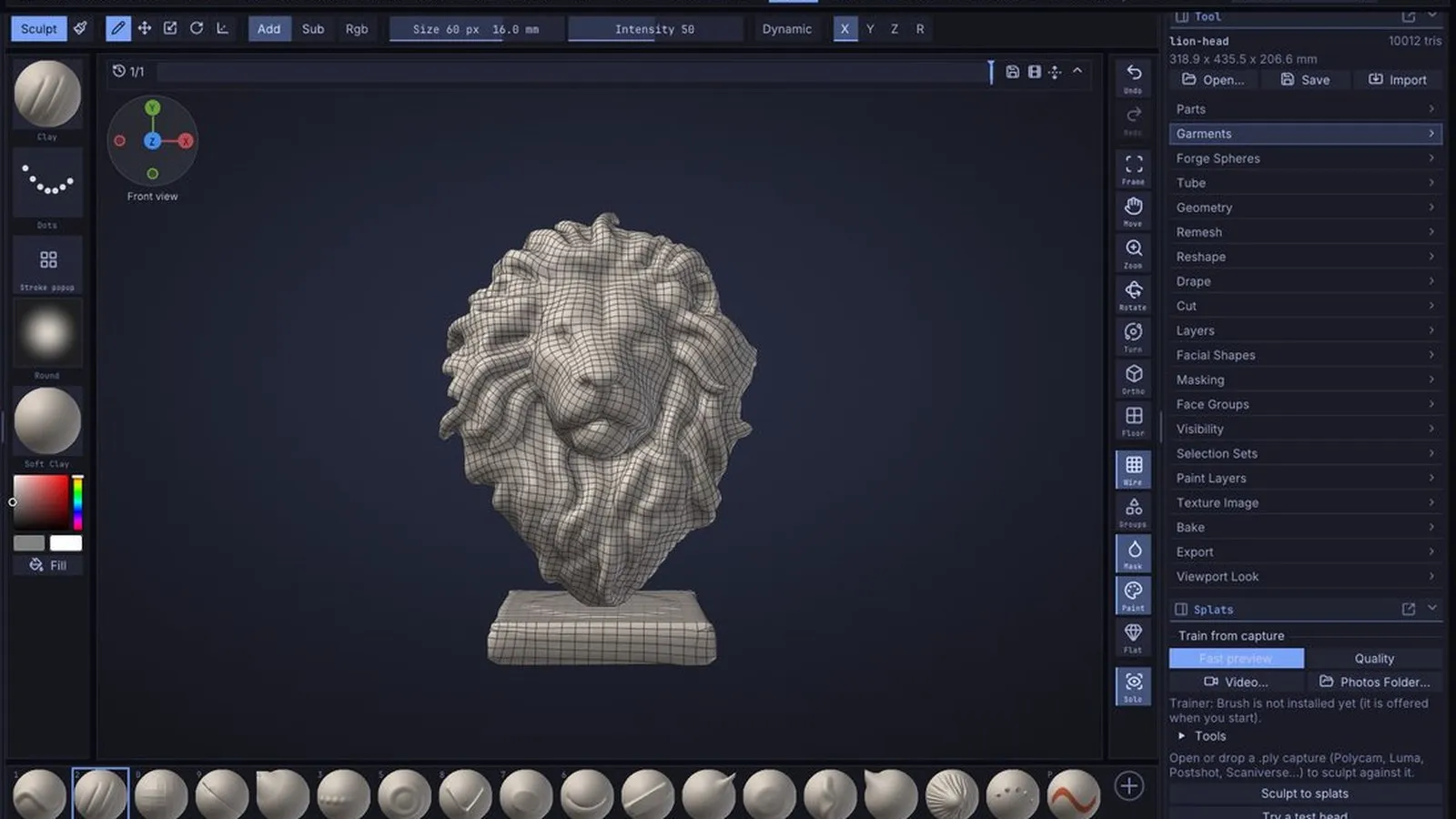
SculptForge, a free and open-source sculpting app, shipped version 0.14.0 on 24 November 2026, according to its What’s New page. That matters because the release now doing the rounds is older. BlenderNation covered 0.9.3 on 24 November, but the project’s changelog dates 0.9.3 to 28 October. Between 4 and 24 November alone, the What’s New page lists 50 numbered releases. So if you download it today, you are getting a very different app from the one in the headlines.
What SculptForge is and what it costs
SculptForge is a desktop sculpting app with an interface modelled on ZBrush: shelves, palettes and ZBrush-style keys. The first public release, 0.1.0, came out on 20 October 2026, per the changelog. It is five weeks old.
The official site lists the basics:
- Price: free, with no account, subscription or licence server.
- Licence: GPL 3.0 or later. The site says the GPL covers the source code, not the models you make.
- Platforms: Windows 10 and 11, macOS 11 or later on Apple Silicon and Intel, and Linux on x86_64 and ARM64. An early Android 9 build is available to paying members.
- Optional membership: early builds, roadmap votes and credits. We couldn’t find a membership price.
Hardware needs are modest on paper. The install guide asks for a GPU with OpenGL 3.3 support, which it says covers any card from the last ten years, integrated graphics included. A mouse works. A pen tablet adds pressure.
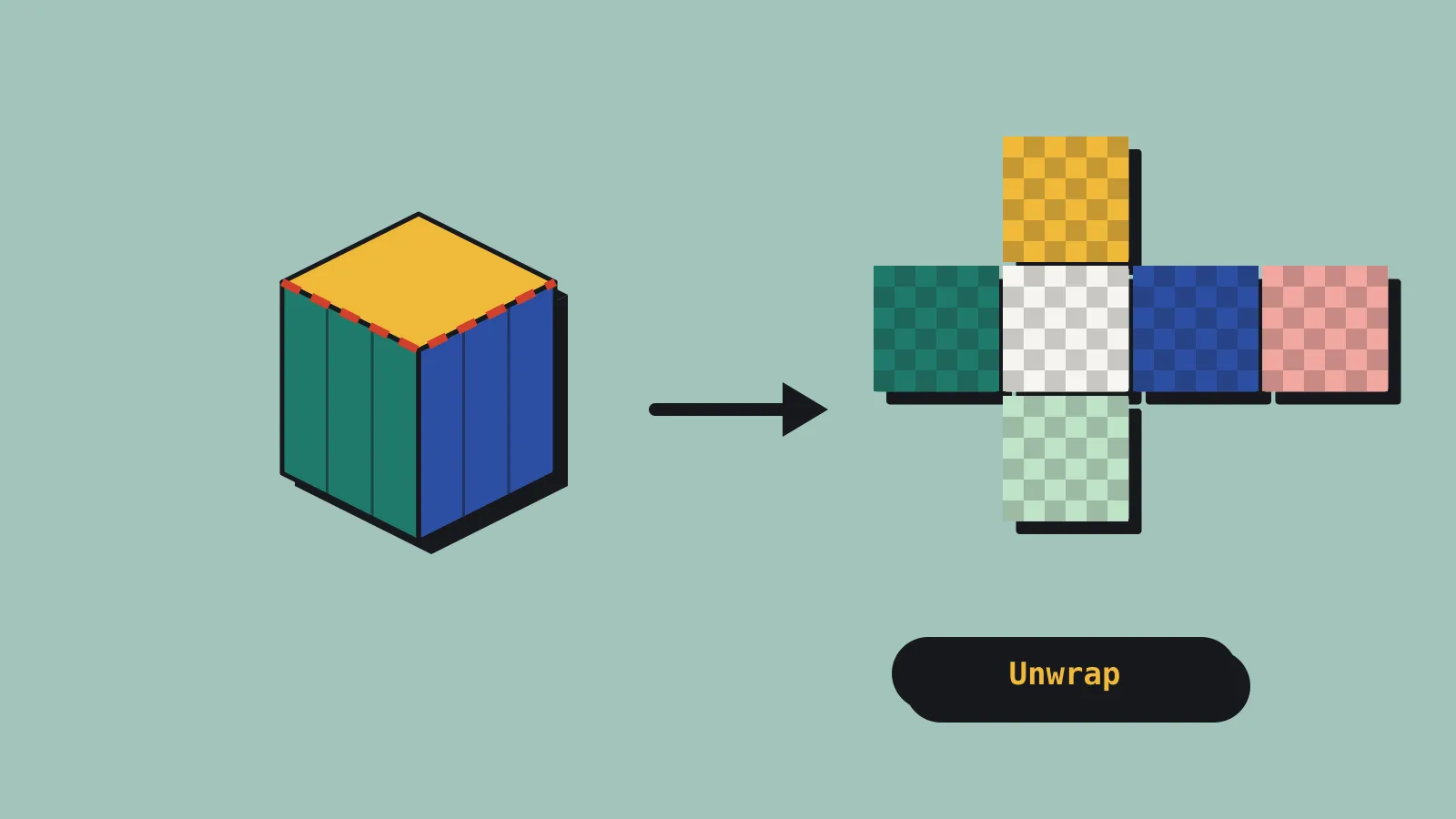
The feature list is long for a five-week-old project. The site lists 20 built-in brushes plus 87 more in eight packs, along with quad remeshing, UV unwrapping with UDIM packing, texture painting, baking, blend shapes, one-click LODs and a Send to Unreal button. LODs are lower-detail copies of a mesh for distant objects. It exports OpenUSD, FBX, glTF, OBJ and PLY.
There are optional AI tools too, including text-to-brush and image-to-3D generation. The GitHub README says the free built-in AI uses a hosted model from Pollinations.ai, with a local Ollama fallback. The site says you can switch these features off.
How the Blender bridge works
The bridge is a free Blender add-on, sculptforge_bridge.zip, first added in 0.7.0 on 25 October. The bridge guide says it needs Blender 4.2 or newer, and each release is tested on 4.2 LTS, 5.2 and 5.3.
You select meshes in Blender and send them with one click. Each one arrives in SculptForge as a “Part”. When you send it back, the Blender object updates in place and keeps its transform, materials and modifiers. Data moves through files in a shared folder, not over the network.
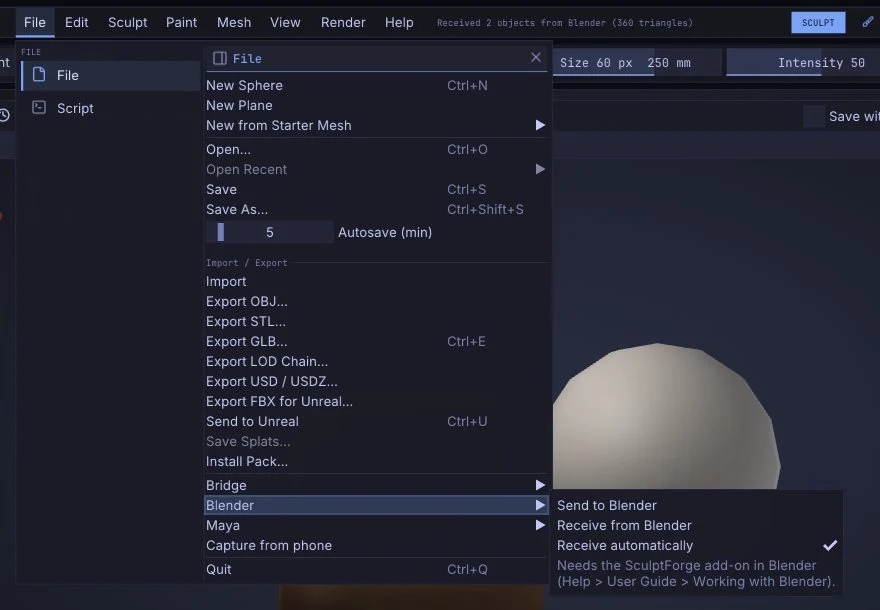
Here is what crosses over, per the guide:
- the active UV map
- the active colour attribute, which becomes vertex paint
- sculpt masks and face sets
- shape keys, which map to SculptForge sculpt layers in both directions (since 0.13.10)
- Gaussian splats, on Blender 5.3 or newer
The limits are the part to read before you trust it with real work. If you only change the shape, Blender keeps your n-gons, seams, creases and extra UV maps. If you change the topology with a remesh or subdivision, the mesh is rebuilt. Per-face materials, seams, extra UV maps and shape keys are then reset. Subdivision levels don’t travel to Blender. Only the level you’re on does. Textures stay in SculptForge.
If you run Blender as a Flatpak or Snap, the guide warns the two apps may look in different folders. You’ll need to set a shared exchange folder by hand.
What it means for a solo dev or small team
For most solo devs, the comparison is Blender’s own sculpt mode, which costs nothing and is already open. The bridge’s pitch is that you keep Blender for layout, rigging and export, and sculpt in an app built around sculpting. If you came from ZBrush and miss its keys and camera controls, that is the real draw. ZBrush itself is subscription only, and the 2027 release added a UV editor but no indie tier.
Nomad Sculpt is the other cheap option most people know. On the Australian App Store it costs A$29.99 for iPhone and iPad, with Quad Remesher as a A$24.99 add-on. SculptForge has no iPad version, per its install guide.
The catch is maturity. The site still lists known gaps. Builds aren’t code-signed yet, so Windows SmartScreen and macOS Gatekeeper will warn you on first launch. Binary .usdc files and OpenColorIO aren’t supported. The site also admits large brushes still lag behind the pen. Digital Production noted it hadn’t tested the app yet, and neither have we.
The release pace cuts both ways. Bugs you report may be fixed in days. Menus and defaults may also change under you within a week. For a game in production, pin a version and update when it suits you.
What to do now
If you want to try it, treat it as an experiment for a week, not a pipeline change.
- Download the current build from the GitHub releases page, not a link in an older article. Check the file against the
SHA256SUMS.txton the same page. - Install the bridge in Blender through Preferences, Get Extensions, Install from Disk. Then start SculptForge once so the add-on can find it.
- Test on a copy of a real asset. Do one round trip that only moves vertices, then one with a remesh. Check what survives in Blender each time, especially seams and extra UV maps.
- If you’ll use the AI tools, read what they send online first. If you won’t, switch them off.
- Note the version number that works for you, and keep that installer.
If clean topology is your main problem rather than sculpting, a dedicated retopology tool may suit you better. We covered NKZ Retopia for sketching edge flow inside Blender. And if your Blender is older than 4.2, you can’t use the bridge at all, so check that before anything else.
Sources
- SculptForge: What’s New
- SculptForge: Blender bridge guide, source of the screenshots
- SculptForge: Installing
- SculptForge official site
- SculptForge changelog and licence, GitHub
- SculptForge 0.9.3, BlenderNation
- SculptForge 0.9.3: free clay, big ambitions, Digital Production
- Nomad Sculpt, Apple App Store (Australia)